
Fin product updates
Keep up with Fin’s latest product news, updates, and releases.
Fin Operator: Instructions and Memory
Memory carries your personal preferences across conversations. Instructions let your team set rules for how Operator should work, so you do not have to repeat them.
Read more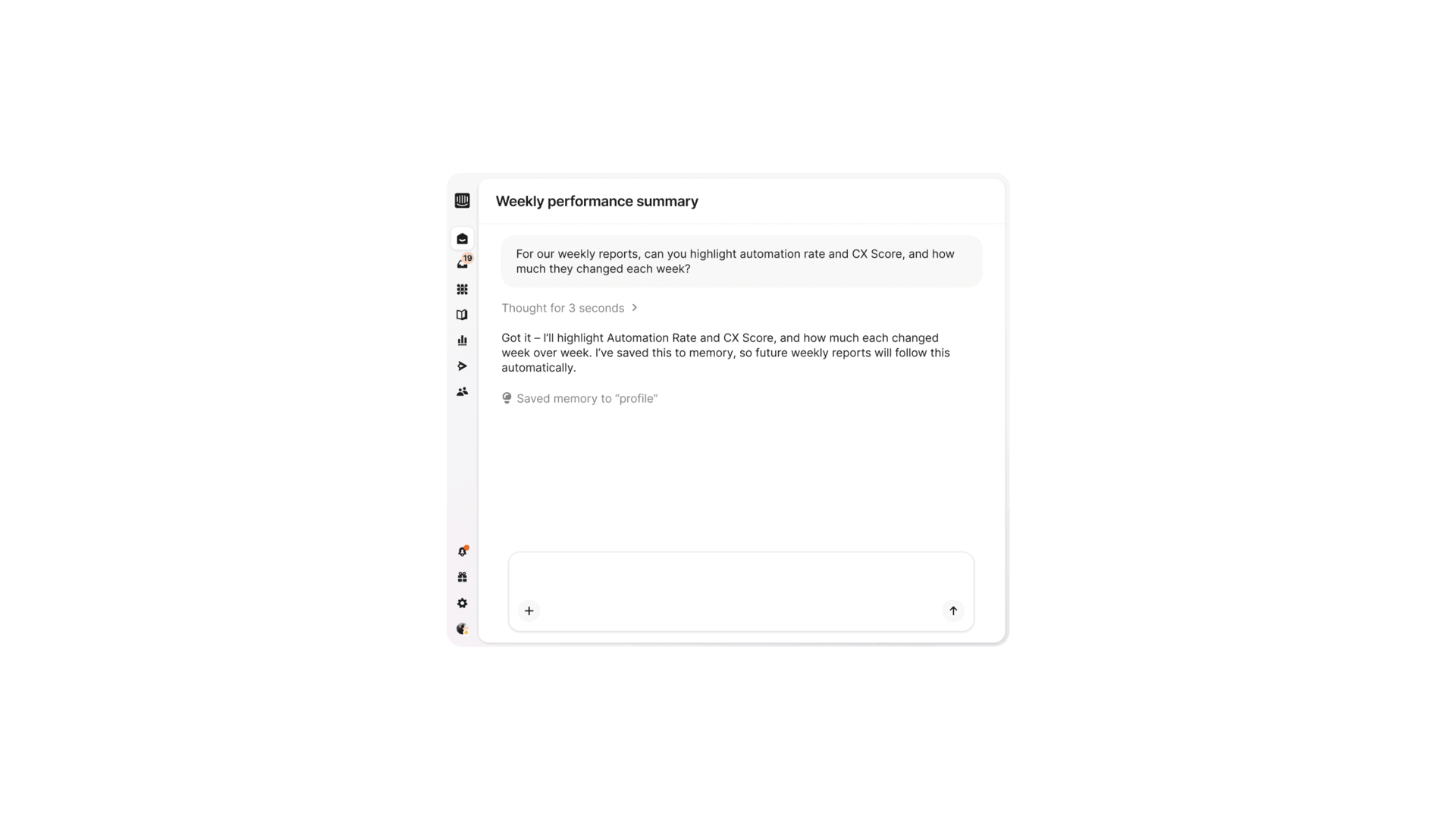
Fin Operator: Routines
Routines let Operator complete work on a set schedule or in response to a specific event. Instead of waiting for you to prompt it, Operator does the work and comes to you with the result.
Read more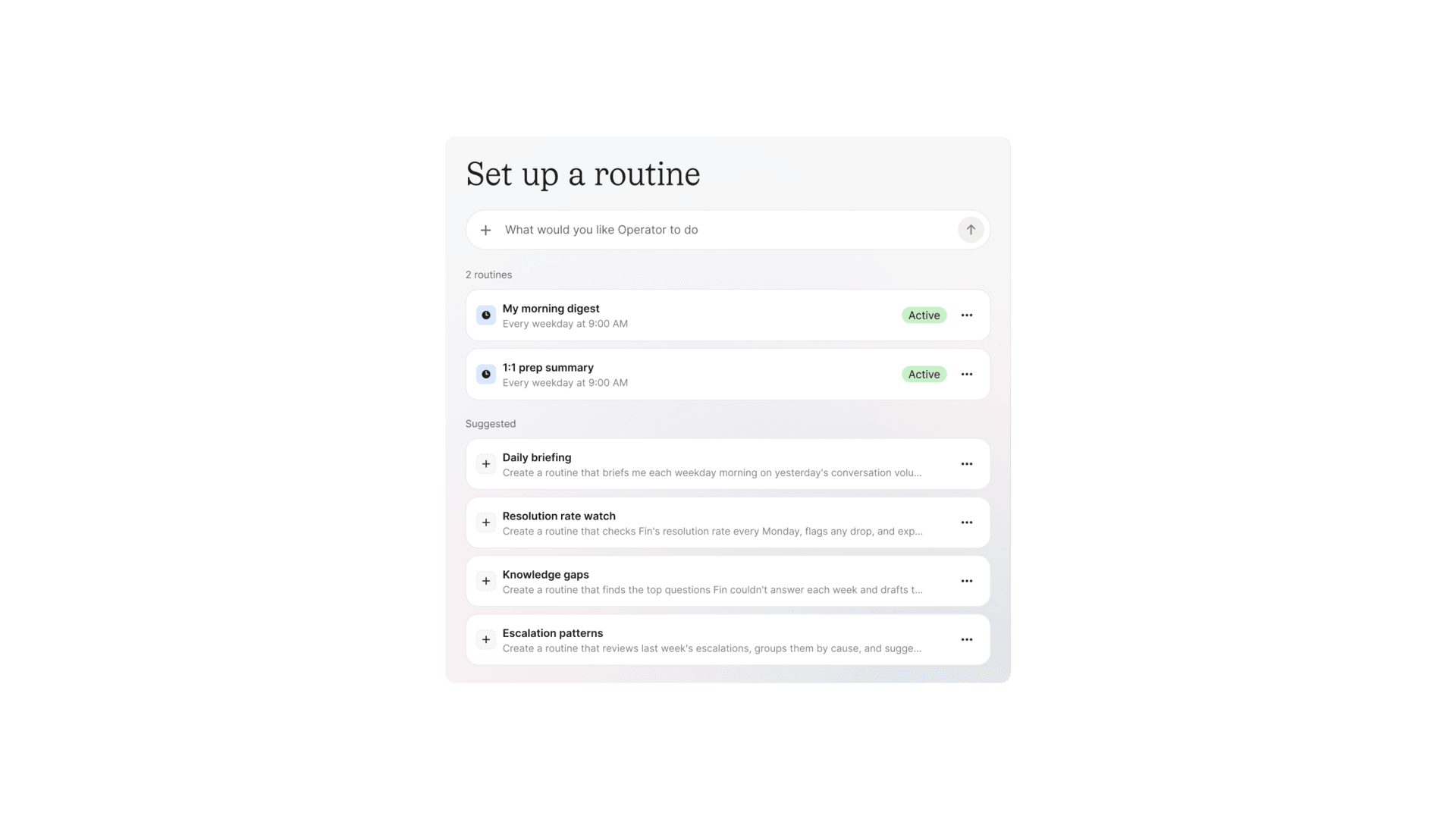
Fin Operator: Connections
Operator now uses information from tools like Slack and GitHub and acts on what it finds. It can review product announcements in Slack and draft the changes they require in Fin, or submit bug reports in GitHub.
Read more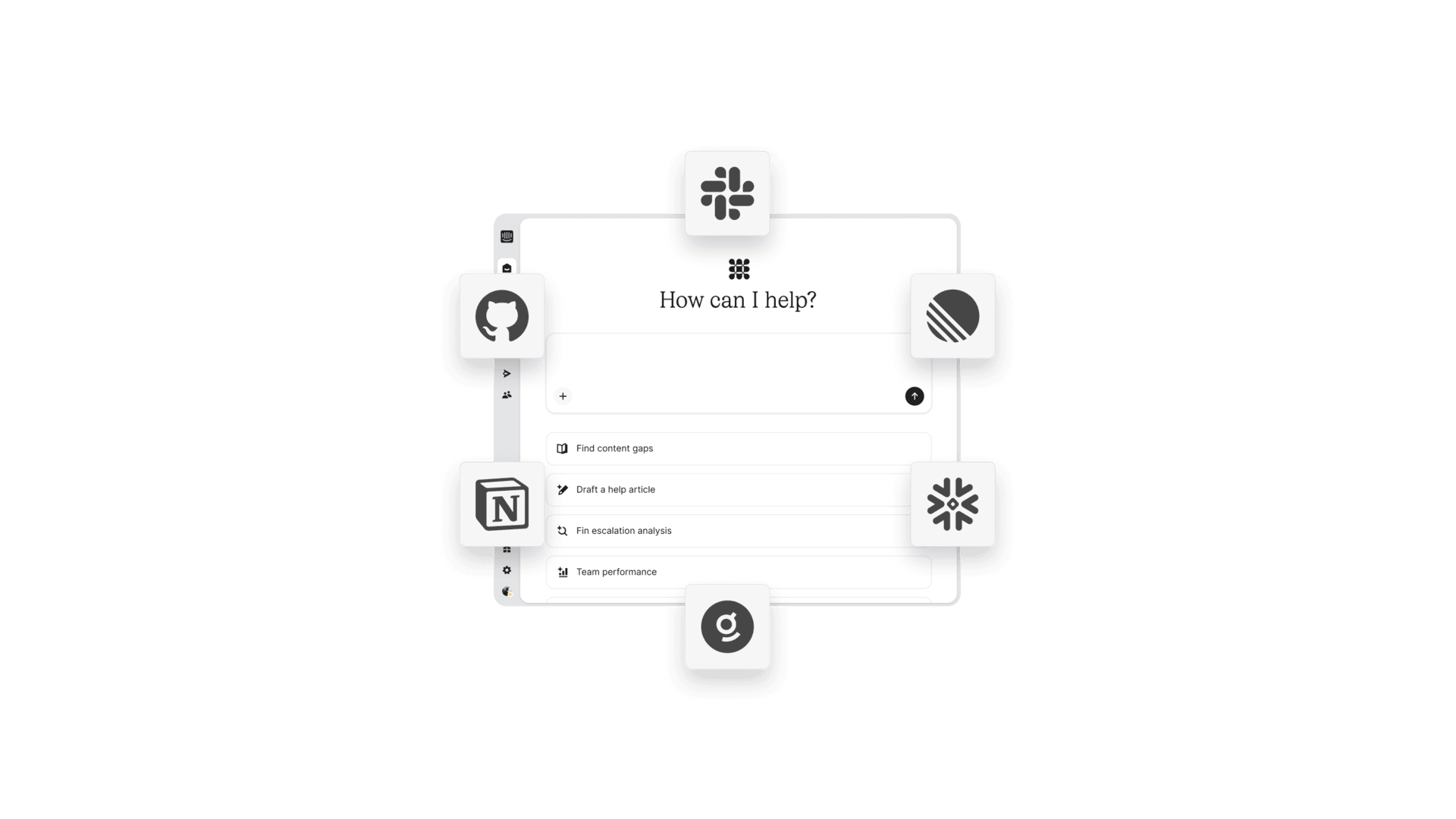
Fin Operator: Artifacts
Share Operator's work, like a drafted Procedure or an analysis of customer conversations, with the people who need to review or act on it. Artifacts make it easy for teammates to review Operator's work and collaborate on what happens next.
Read more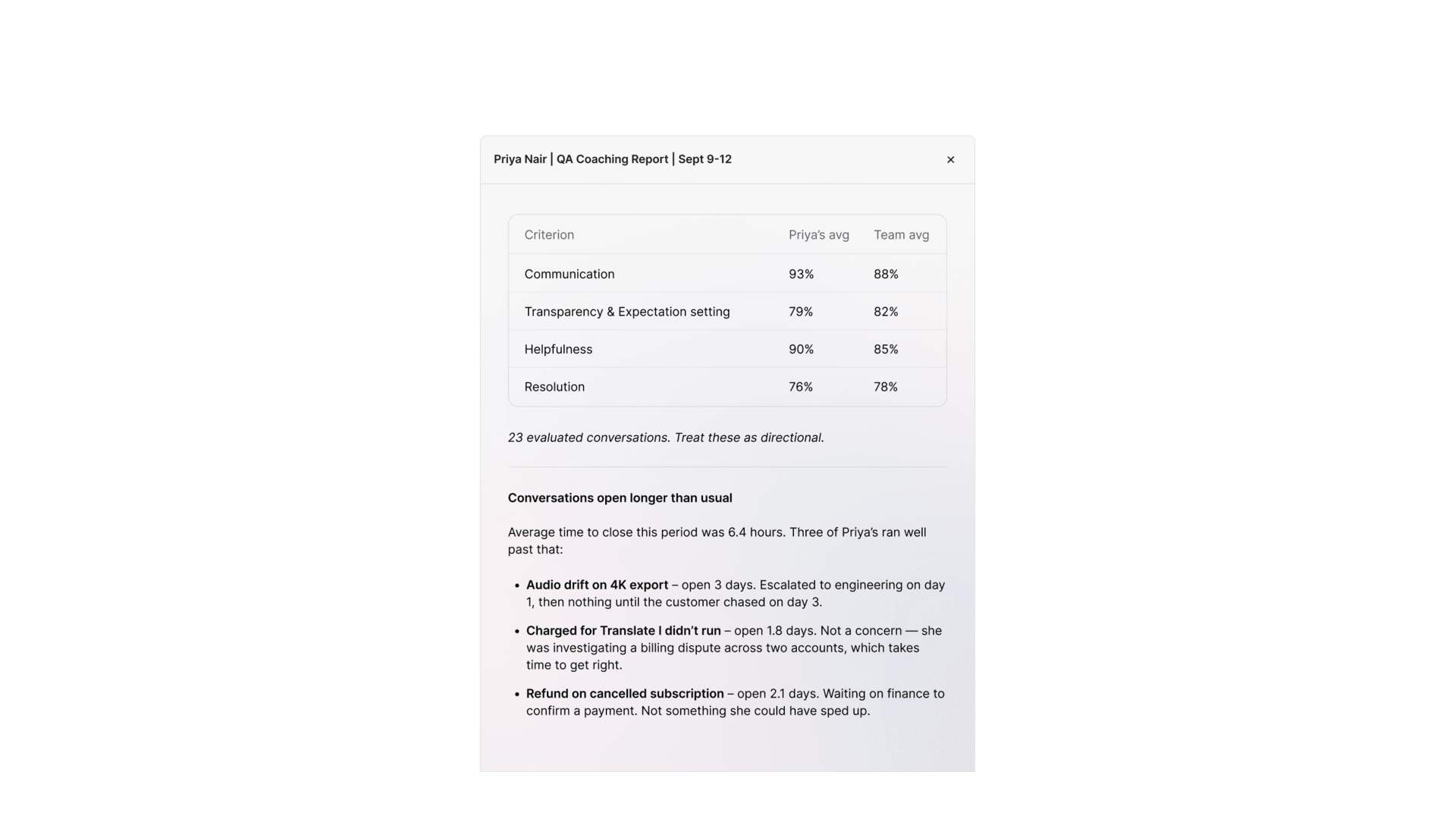
Knowledge Sources: Real-time Sync
Fin now picks up changes from connected knowledge sources within minutes instead of waiting for the daily sync. When an article, page, card or file changes, the source tells Intercom and Fin re-syncs just that item.
Read more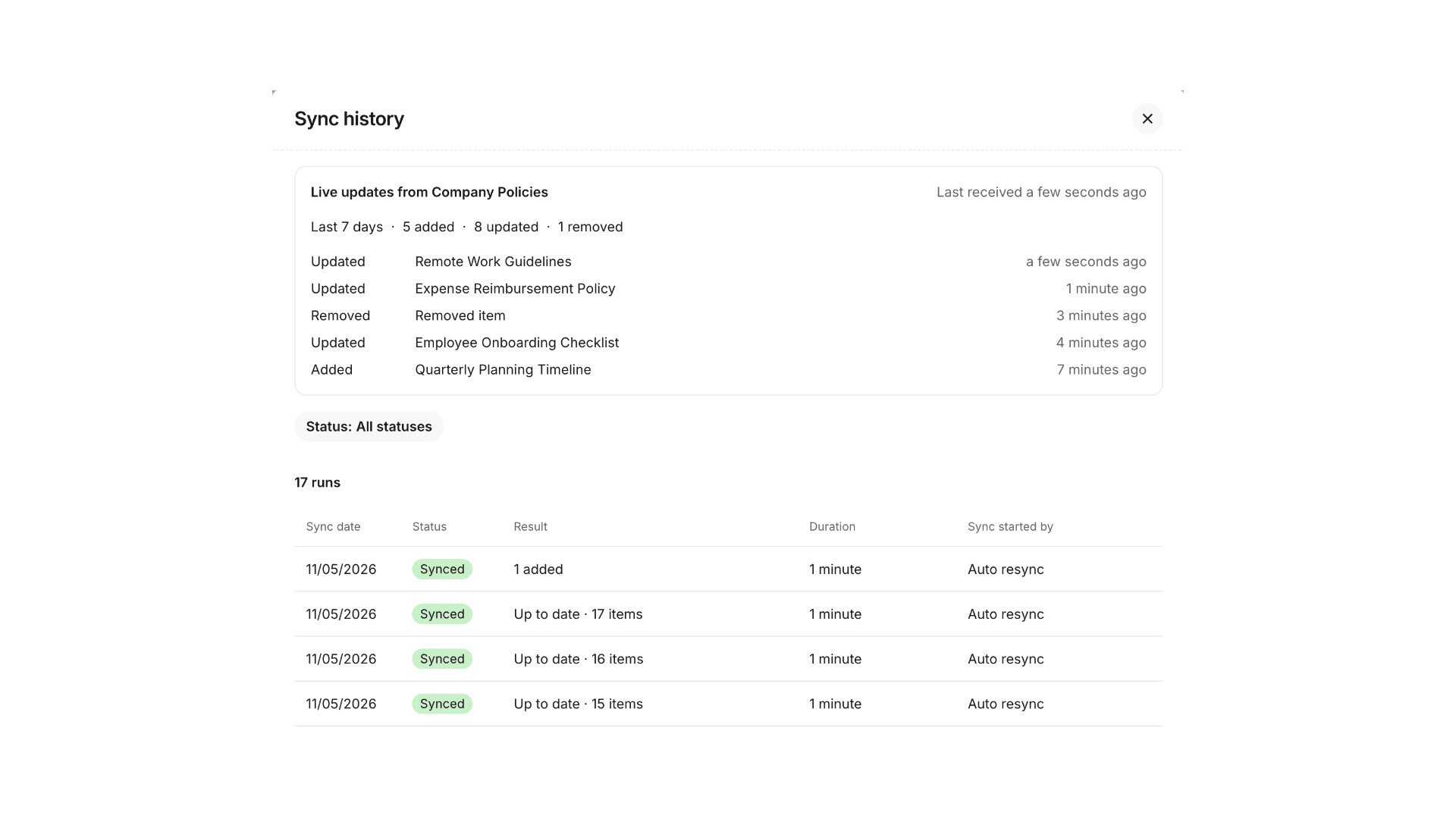
Fin Voice: Escalation rules
Your existing escalation rules can now cover Fin Voice. Fin evaluates the rules during a call and follows your configured escalation path as soon as one matches, even during a Procedure.
Read more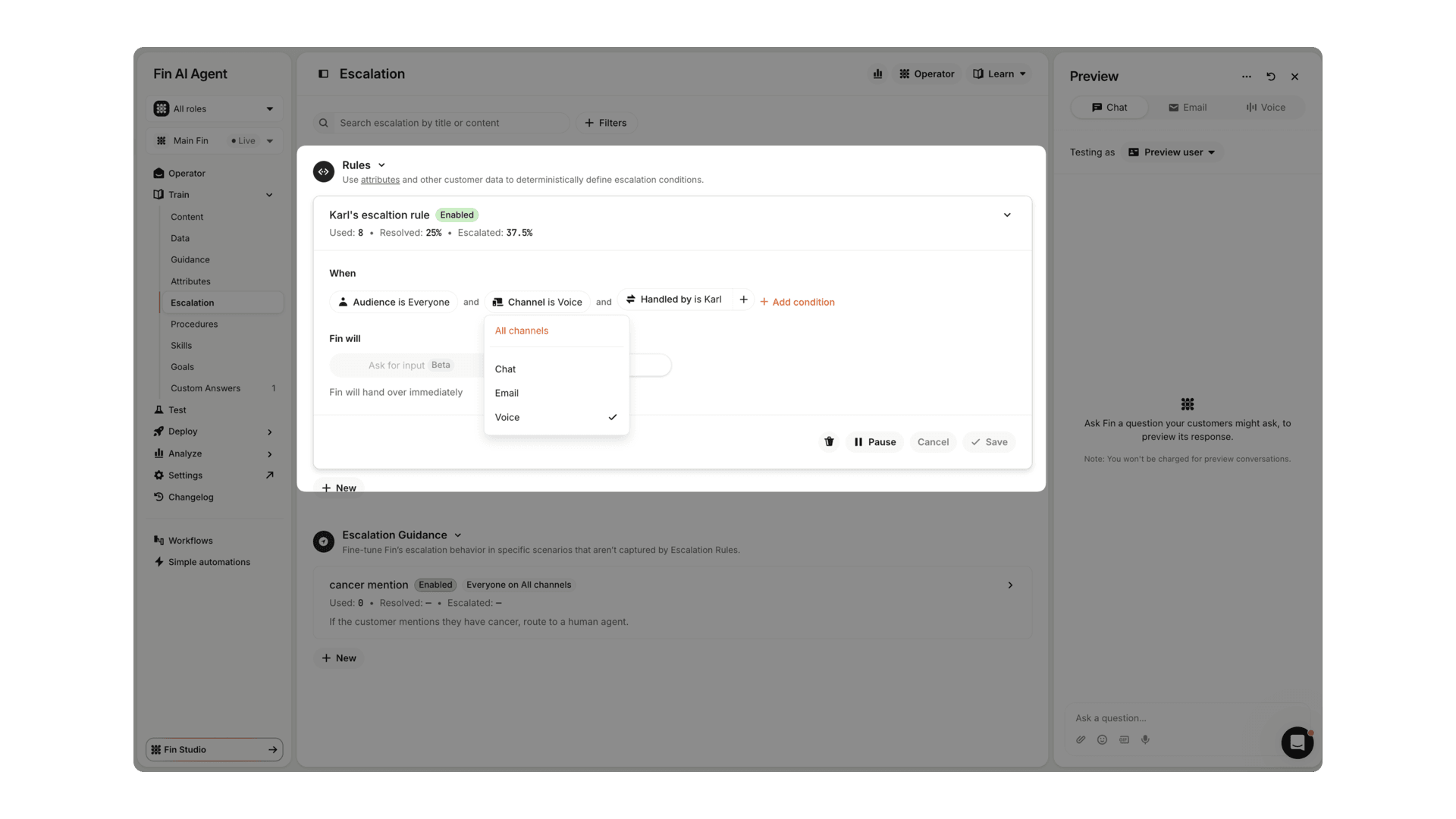
Procedures: Hand off to workflow
When a 'Ask in teammate' or 'Wait for webhook' steps time out, you can now hand the conversation off to a workflow instead of a team inbox. The workflow can keep routing or resolving it before a teammate steps in.
Read more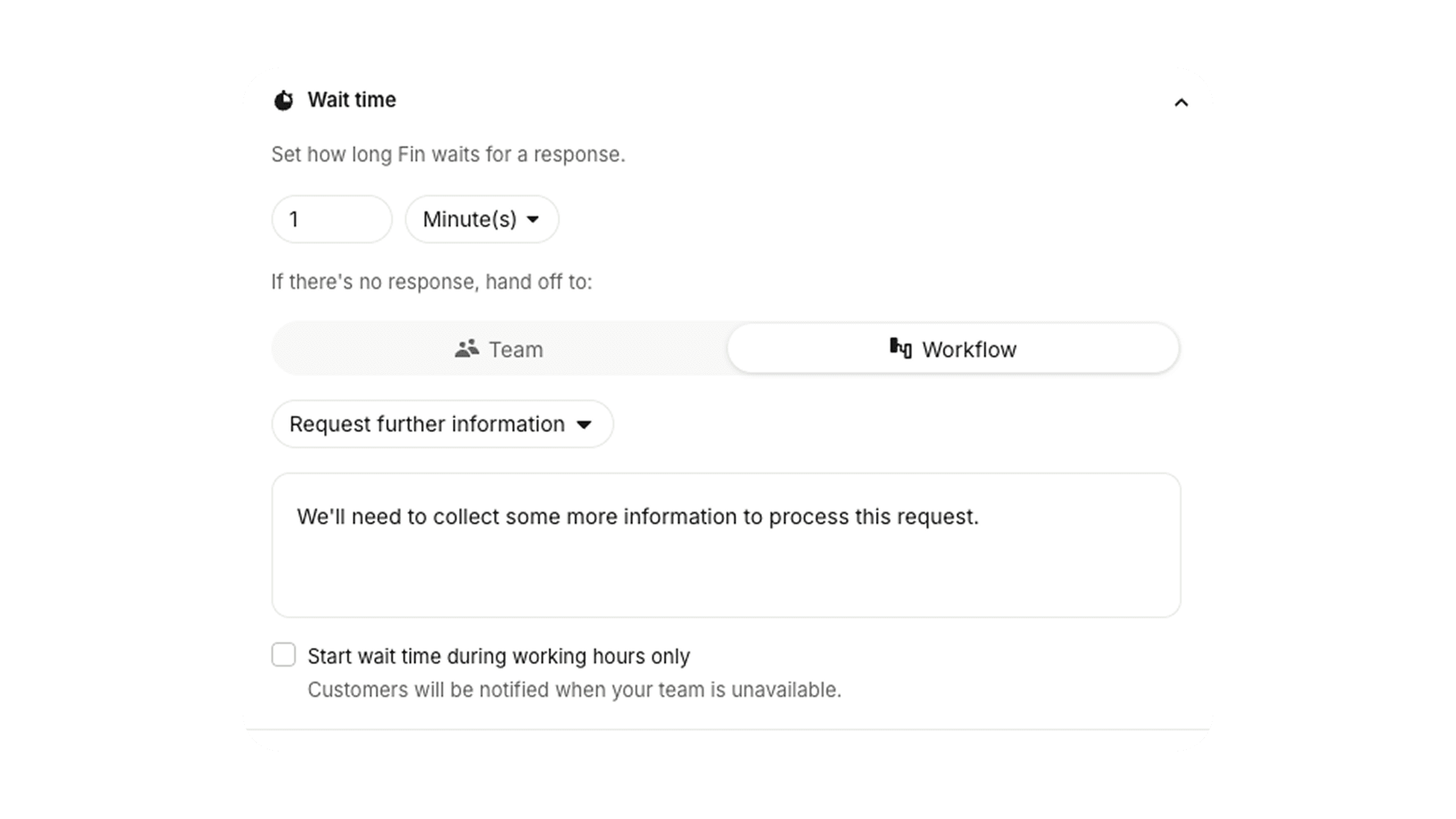
Fin Guidance: apply during or outside office hours
You can now schedule guidance to apply during office hours, outside office hours, or at all times. Fin automatically follows the right guidance for the current time, so there's nothing to switch manually.
Read more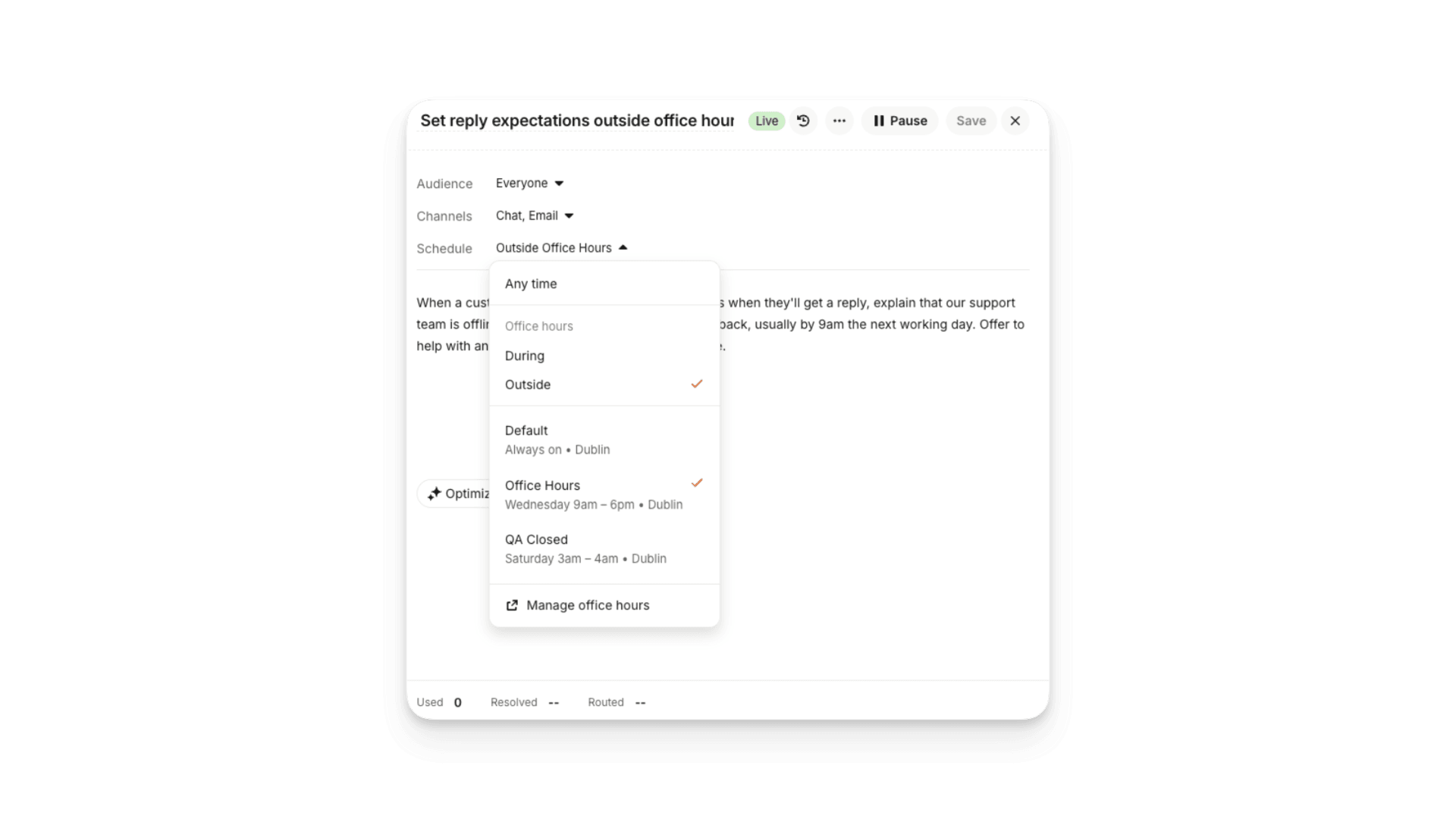
Fin sells Shopify subscriptions
Fin can now quote the price of each subscription option, show a From price on Shopify product cards, and add the shopper's chosen plan to their...
Read moreMonitors for Phone Calls
Phone calls can now be reviewed in Monitors, scored automatically with AI or manually by your team. Open any call to read the transcript, play the recording, and score it against the criteria in your Custom Scorecard.
Read more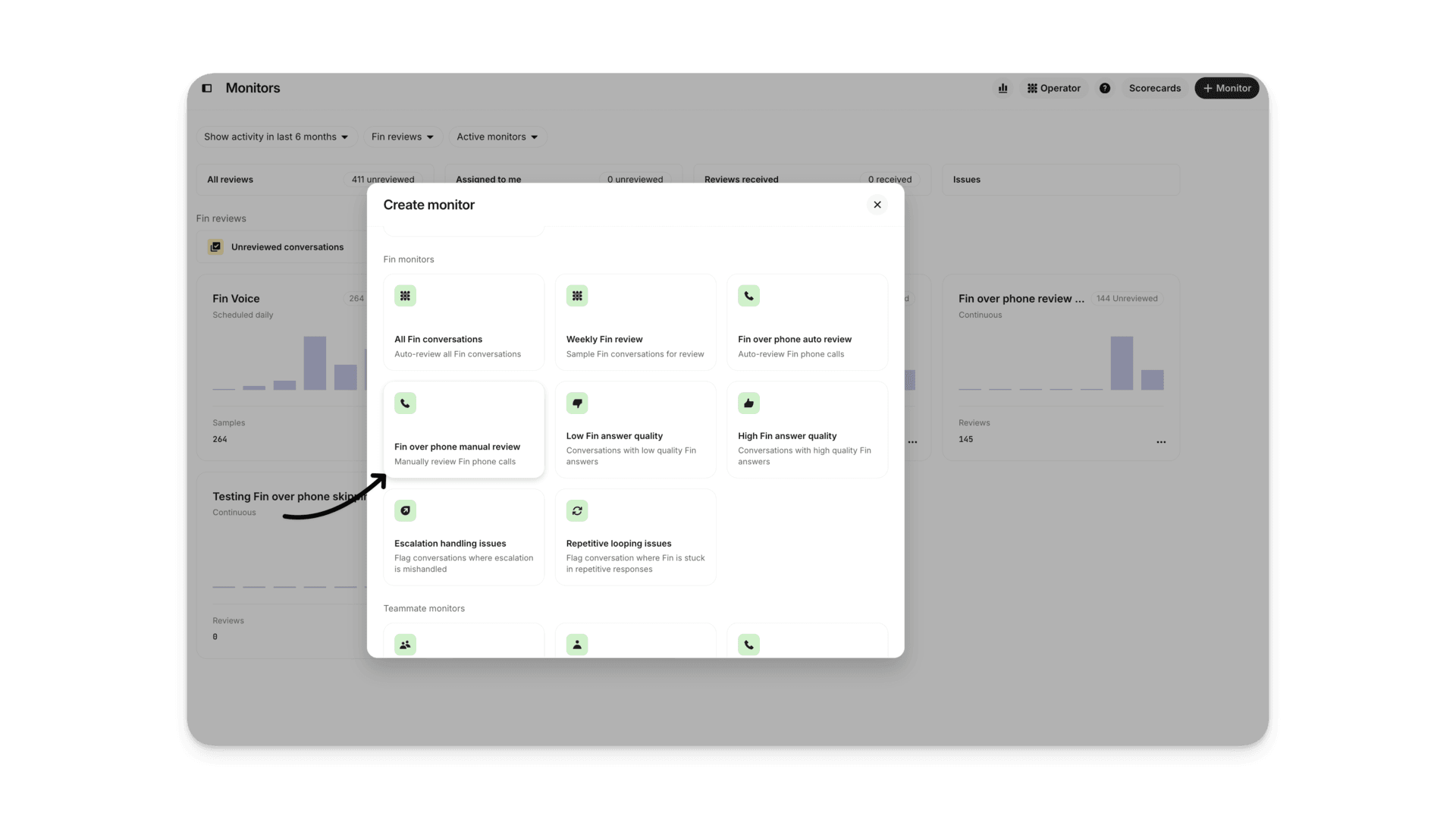
Content recommendations in Operator
Recommendations reviews the conversations Fin couldn't resolve and surfaces prioritized fixes. Now you can ask Operator which articles and...
Read moreMonitors: New QA permissions
Dedicated QA permissions put the right reviews in front of the right people. Teammates always see reviews of their own work and never score them,...
Read moreType a message to Fin in the voice preview
A text box now sits above the call controls in the Fin Voice preview. Typing and talking mix freely in the same call, and the mic stays live, so...
Read moreFin for Sales: Marketo integration
You can now use a template to connect Fin for Sales to Marketo - creating a fully working data connector without the complexity.
Read more
Escalation Reporting
Two new conversation attributes show why Fin handed off and what triggered it. Break escalations down by reason, filter to a single cause, and see which guidance, escalation rules, or Procedures drive the most handoffs.
Read more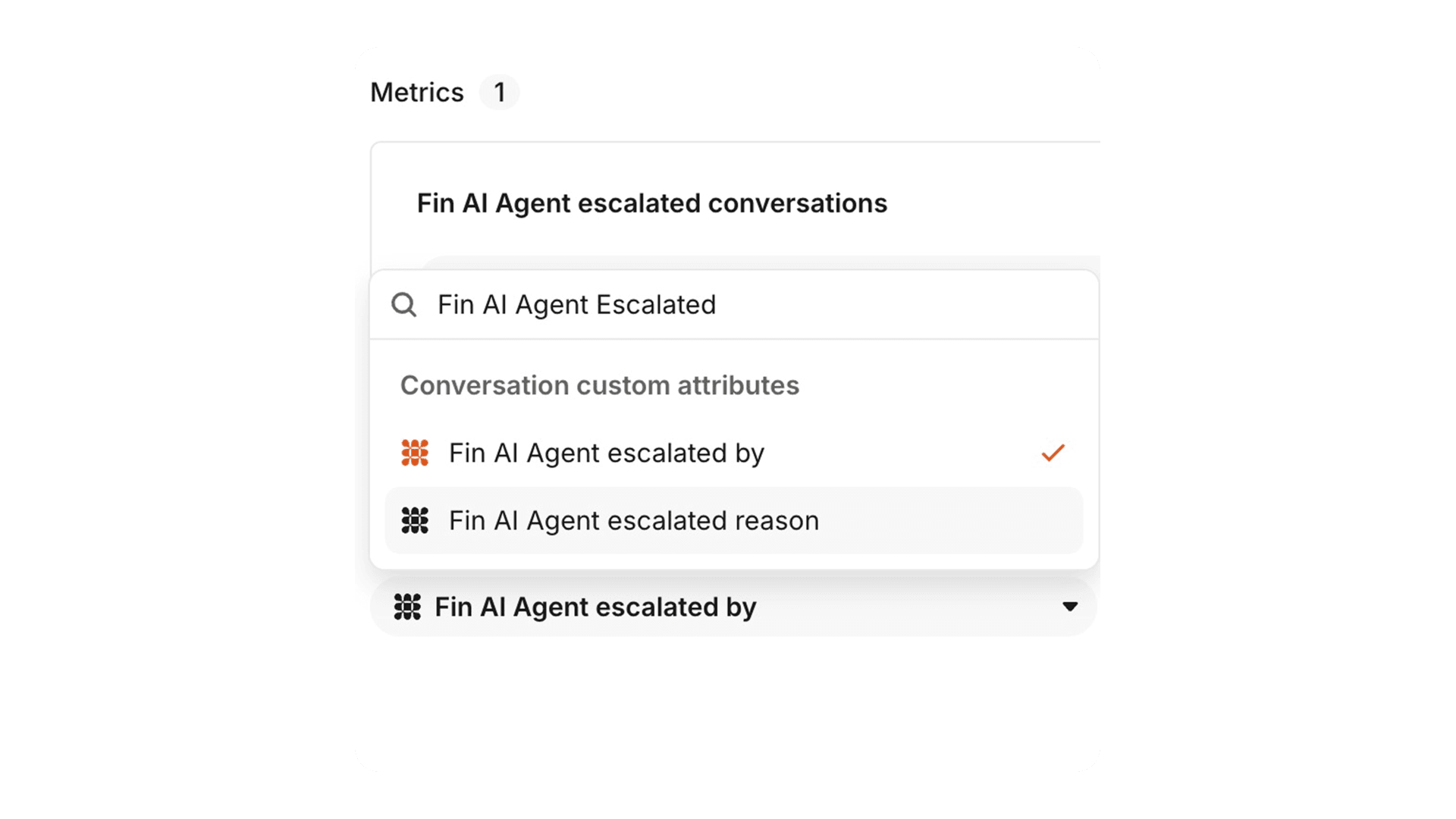
Fin for Sales: Simulations
Simulate a prospect conversation from the Sales Testing tab and check Fin behaves the way you expect. Give Fin an opening message or a persona, pick chat or email, then assert on the outcome you want.
Read more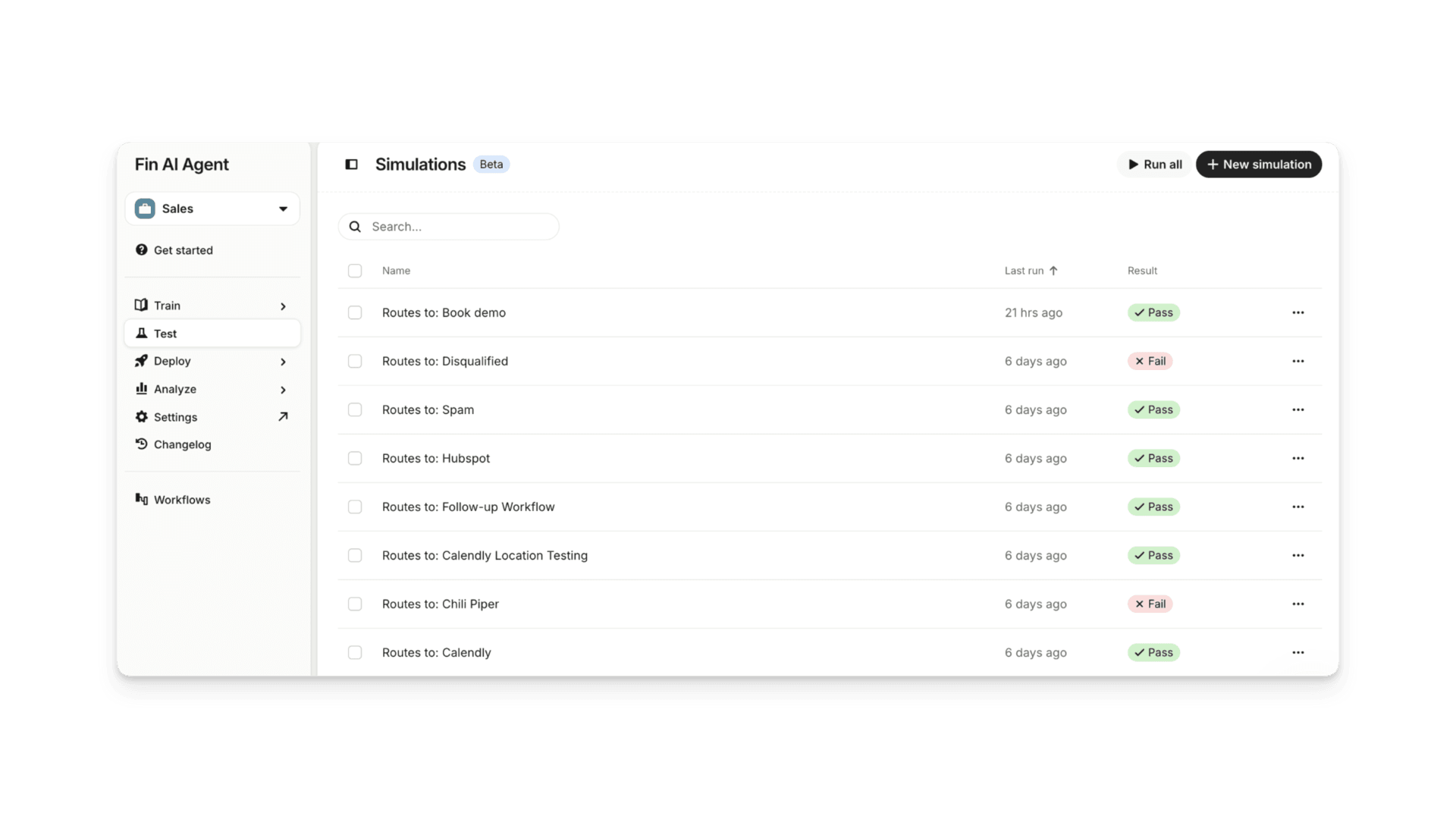
Monitors: Issues
When you spot a problem in a Fin or teammate conversation during a QA review, you can log it as an Issue right there and track it to resolution. Every Issue collects in one view, so nothing slips through.
Read more
Performance metrics for Procedures
The Procedures overview now shows how each Procedure performs, with Outcome rate, Resolution rate, and CX Score over the last 30 days, so you can spot which Procedures need attention.
Read more
Fin for Sales: Chili Piper integration
Fin for Sales can now book qualified sales meetings directly through Chili Piper, without the lead ever leaving the conversation. Chili Piper joins Calendly and HubSpot Meetings as a supported provider.
Read more
Procedures: Wait step
Add a wait step in a Procedure for tasks that take the customer a while, like doing something on another platform. Fin pauses without sending follow-ups, then continues when they reply or your set time elapses.
Read more
Help Center Redesign
The Help Center has a refreshed design with clearer navigation and more ways to customize how it looks and works, so customers find answers faster and your knowledge base feels like your brand.
Read more
External link tracking for Fin Sales Agent
The new Content Shared by Fin report shows every URL Fin sends to prospects, how often it sends each one, and how often prospects click, across chat and email.
Read more
Simulations for Voice Procedures
Run fully simulated customer conversations from start to finish to test your Voice Procedures, uncovering edge cases and catching regressions so you can go live with confidence, without making a single real call.
Read more
Zapier MCP Connector
Connect your Zapier account and Fin can take action across thousands of apps, creating tickets, updating records, sending alerts, or booking appointments right inside the conversation, with no custom code.
Read more
Fin for Ecommerce: Revenue Attribution
Track total attributed revenue, average order value against your store's baseline, and weekly trends - with every order linked back to the conversation that drove it.
Read more
Automatic Salesforce data connectors
Fin Sales Agent can now build a working Salesforce data connector automatically. No API knowledge, no manual field mapping - just connect your account and Fin handles the rest.
Read more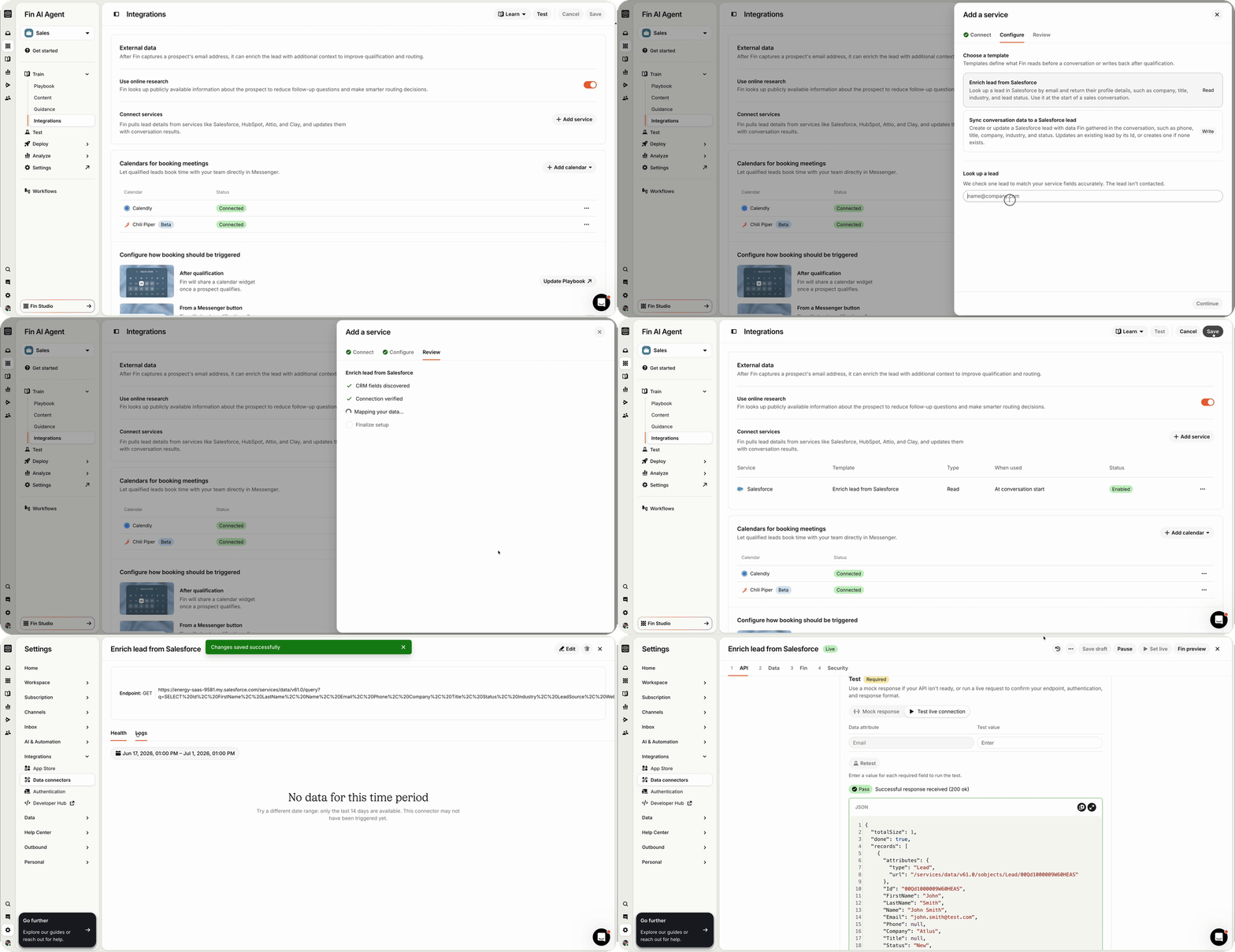
HubSpot Meetings for Fin Sales Agent
Fin Sales Agent now books meetings directly into reps' HubSpot calendars. Qualified leads can schedule without being redirected, so high-intent conversations convert before momentum drops.
Read more
Fin over Telegram
Fin resolves customer questions directly in Telegram. Send and receive messages, automate replies, collect CSAT, and manage Telegram conversations alongside every other channel.
Read more
Fin Voice 2
Fin Voice 2 runs on Fin Apex Flash, our latest model built for latency-sensitive tasks. It delivers a 24.5% higher resolution rate and responds 0.43 seconds faster, with 20+ updates across call quality, actions, and insights.
Read more
Fin over Email: CC and multi-participant controls
Two new email settings let you decide whether Fin responds when it's CC'd rather than a direct recipient, and whether it replies to everyone on a thread or just the original sender.
Read more
Multi-brand Help Centers and content scheduling
You can now link multiple Help Centers to a brand for Fin and Intercom Copilot, and schedule exactly when articles and content go live, reducing manual work at launch time.
Read more
Lead Recovery for Fin Sales Agent
When a prospect goes quiet, Fin Sales Agent automatically steps in to re-engage them or gracefully close the conversation, based on rules you define, so no lead slips away unattended.
Read more
Fin over Email: Follow-up emails
Fin can now send a follow-up email to inactive customers. Set exactly how long Fin waits, from 1 hour to 7 days, or turn off follow-ups entirely.
Read more
Fin for HubSpot
Fin now integrates directly with HubSpot, letting you deploy Fin as your AI agent without migrating your team. Keep HubSpot as your helpdesk and let Fin handle the conversations.
Read more
Procedures: Code blocks
Procedures can now execute Python code blocks for calculations, date math, data transformations, and conditional checks that need to be deterministic.
Read more
Help Center audience management
Articles in the Knowledge Hub can now be filtered by Help Center audience and bulk edited to update targeting across multiple articles at once, saving time when managing large content libraries.
Read more
CX Score Benchmarking
A new benchmarking panel in the Performance dashboard shows your percentile rank, how scores break down across your peer group, and what's driving ratings in your industry.
Read more
Guidance versioning
Every change to your live Fin Guidance is now saved as a version. Review your history, add notes to changes, and restore any previous version if something goes wrong.
Read more
Spam inbox view
A new Spam inbox gives you full visibility into email conversations Fin has flagged. Review what was caught, manually mark or unmark conversations, and re-queue Fin where needed. Nothing is silently dropped.
Read more
Fin reads PDFs and images
Fin can now read the content of PDFs and HEIC images customers share - getting full context from attachments instantly, without needing to ask follow-up questions.
Read more
Simulations for Procedures
Validate Fin's behavior before going live. Run AI-suggested test scenarios, mock data connector outputs, and watch realistic conversations unfold, with inline verification to catch issues before they reach customers.
Read more
Procedures: Versioning, content referencing & failure reporting
Three new tools to keep Procedures reliable over time: view the full version history, direct Fin to specific knowledge base content, and see exactly which conversations triggered a failure.
Read more
Procedures: Reporting
Track key metrics for every live Procedure: how often it triggers, how it resolves, where it hands off, and where it fails. Pinpoint what's working and what to improve, all from one view.
Read more
Procedures: AI-generated
Describe your process in plain language and Fin builds the Procedure for you, complete with suggested Simulations to test edge cases before going live.
Read more
Procedures: Deterministic controls
Combine natural language with if/else conditions and custom code to define exactly how Fin executes each step, making answers more predictable and consistent for complex queries.
Read more
Fin over Email preview
A new email preview experience lets you see exactly how Fin will respond to customers via email before it goes live. Test, refine, and ship with confidence.
Read more
Fin CLI
A new CLI lets developers and agents create an Intercom workspace, configure Fin, and build out a help center entirely from the terminal.
Read more
Fin for Freshdesk
Fin Standalone now integrates directly with Freshworks, letting you deploy Fin as your agent without switching helpdesks. Keep Freshdesk as your system of record and let Fin handle the conversations.
Read more
Fin conversation closure trigger
A new workflow trigger fires whenever Fin closes a conversation, whether through a confirmed resolution, customer inactivity, or a natural end....
Read moreFin Apex 1.0
Fin Apex 1.0 is the flagship of the Fin model suite - our first model that generates the final answer Fin gives to every customer
Read more
Monitors
Monitors continuously watch and evaluate quality against your standards across both Fin and human conversations. So you have confidence that every conversation is handled the way you want.
Read more
Monitors: Custom Scorecards
Custom Scorecards let you set the quality criteria that matter to your business — tone, accuracy, resolution quality, and more — so every evaluation reflects your standards, not generic benchmarks.
Read more
Monitors: AI Scoring
AI Scoring automatically evaluates Fin's conversations against your custom scorecards — assessing tone, accuracy, and resolution quality at scale so your team can focus on what needs attention.
Read more
Monitors: Review Queue
The Review Queue gives teams a single place to track conversations flagged for follow-up — whether for fixing, coaching, or content updates. Nothing falls through the cracks.
Read more

Fin over Discord
Discord is different: community and support live side by side. Fin is built specifically for this channel, with control over exactly which conversations Fin gets involved in.
Read more
Fin's Pricing Metric is Evolving
Our core Fin pricing metric changed from Resolutions to Outcomes on March 12, 2026. This reflects Fin's expanded role, especially with workflow...
Read moreFin Voice: Knowledge Sources
Fin Voice now shows the knowledge sources, guidance, and instructions it used on each call — making it easy to audit decisions and improve performance over time.
Read more
Fin Voice: Workflows
Fin Voice can now be placed inside your phone Workflows — letting you route calls based on caller type, office hours, or any workflow rule before Fin picks up. Full control over every call flow.
Read more
Fin Voice: Pronunciation Rules
Set custom pronunciation rules for specific words or phrases so Fin always says brand names, product terms, and proper nouns correctly on every call.
Read more
Fin Voice: Dynamic Noise Reduction
Fin Voice dynamically filters background noise to prevent false interruptions and ambient sound from triggering responses. Calls feel natural from...
Read moreContent Guidance
Content Guidance lets you specify which knowledge sources Fin should use for specific question types — so when multiple articles cover the same topic, Fin picks the right one.
Read more
Fin for Generic Platforms
A lightweight Fin deployment lets you add AI support to platforms without a deep Intercom integration, using the Messenger as the interface.
Read more
Fin Agent API
The Fin Agent API now supports multi-agent architectures, enabling Fin to operate as a component within broader AI orchestration systems. Available for Enterprise.
Read more
Fin for Salesforce
Fin integrates directly with Salesforce Service Cloud, so your team stays in the platform they know while delivering faster, smarter support across cases, email, live chat, and more.
Read more
Fin Identities over Email
Multiple Fin Identities now work over email, so each of your brands can present a distinct persona when Fin responds to inbound messages.
Read moreFin Image Answers
Fin pulls relevant images and GIFs from your support content and includes them in replies when useful — no setup needed, up to three images per answer.
Read more
Website Sync Image Support
Fin now accesses images from synced websites and uses them to enrich its answers. Customers get more complete, visual responses when your source...
Read moreEscalations: Audience Targeting and Search
Escalation rules can now be scoped to specific Fin Audiences, with a new search bar and audience item counts on the Audience Details page to stay...
Read moreUnified Fin Content Page
Everything Fin needs – articles, snippets, web syncs, imported content – is now managed in Fin > Content. No redirects to Knowledge. Sync errors show clear, actionable fixes.
Read more
Fin Changelog
The Fin Changelog records every update to Guidance, Tasks, and Content, showing who made each change and linking directly to where it was made.
Read more
Fin over Slack
Fin supports your customers directly in Slack communities and dedicated Connect channels—resolving questions instantly, with replies that stay threaded and feel native to Slack.
Read more
Fin Attributes
Fin Attributes let you decide what attributes Fin should detect — like issue type, sentiment, or urgency — in every customer conversation.
Read more
Fin Procedures
Procedures enable Fin to resolve complex customer queries like subscription issues or transaction disputes from start to finish. They combine the flexibility of natural language with the reliability of deterministic controls.
Read more
Fin Audiences and Identities
Create audiences once, reuse everywhere
Read more
Conversational Fin
A redesigned Fin Messenger experience makes conversations more natural, human, and effective—so Fin can resolve more queries with less friction.
Read more
Fin Insights
Fin Insights is a groundbreaking new AI-powered feature set that gives you complete visibility across every customer conversation, with AI-powered tools and Suggestions that help you monitor, analyze, and instantly optimize your customer...
Read more
CX Score
CX Score is a breakthrough, AI-powered metric that gives you a complete view of your support quality across every customer conversation—no surveys required.
Read more
Suggestions
Suggestions are AI-powered updates to improve Fin answers. Each Suggestion can be accepted in a single click, and Fin will instantly begin using that content to deliver better answers and a better customer experience.
Read more
Performance Dashboard
The Performance Dashboard brings Fin’s key support metrics—resolution rate, involvement rate, and CX Score—into one view, helping you monitor performance, catch issues early, and clearly communicate impact.
Read more
Topics Explorer
Topics Explorer uses AI to organize every single customer conversation into high-level Topics and actionable Subtopics, giving you an unprecedented view of what’s driving support volume and impacting quality. You can combine Topics and...
Read moreOptimize Dashboard
The Optimize Dashboard highlights opportunities to increase Fin’s performance with AI-powered Suggestions that improve Fin’s answers in seconds
Read more
Fin Vision
Fin can now read, analyze and understand images—like screenshots, invoices, and error messages—so customers can share what they see without lengthy explanations.
Read more
Batch Test
Use real conversations to test Fin’s answer quality at scale and refine the sources and settings like guidance and tone of voice that shape Fin’s responses. Test questions can be generated based on actual support conversations, specific...
Read more
Fin Tasks
Fin Tasks let Fin resolve complex queries, execute multi-step processes, and take action for your customers with precision and control. By combining the power of generative AI with the precision of deterministic rules, Fin can respond...
Read more
Fin Guidance
Guidance lets you define exactly how Fin behaves, ensuring it speaks, clarifies, and hands off complex issues according to your support team’s policies. Using simple, text-based instructions, you can teach Fin how to communicate, ask...
Read more
Fin for Platforms
You can use Fin with any helpdesk, including Zendesk, Salesforce, Hubspot, Freshdesk and more —with support for additional platforms and custom channels. Fin connects via API to your existing helpdesk and can start resolving customer...
Read more
Real Time Translation
Fin translates your content in real time so you don't have to, allowing you to serve customers in their preferred language.
Read more
Fin Preview Improvements
Preview conversations end to end, with full visibility into Fin’s decision making and how it applies your Guidance, tone of voice, and actions—so you can refine its answers with confidence.
Read more
Tone of voice
Customize Fin’s tone, formality, and answer length so every answer reflects your brand guidelines.
Read more
Data Connector Templates
Use ready-made templates to connect Fin to the tools and systems you use everyday like Stripe, Shopify, Statuspage, and more—no code required. Data connector templates for Fin use third-party apps you’ve installed on your workspace to...
Read more
Data Connectors
Connect Fin to your data sources and systems so it can retrieve and update data—delivering more personalized answers and taking action on behalf of your customers.
Read more
Multilingual Fin
Fin automatically detects and resolves issues in more than 45+ languages, giving you greater control and flexibility over which languages and customers you support.
Read more
Fin Workflows
Add Fin to complex workflows to triage conversations, handle complex customer queries and generate answers when customers take specific actions.
Read more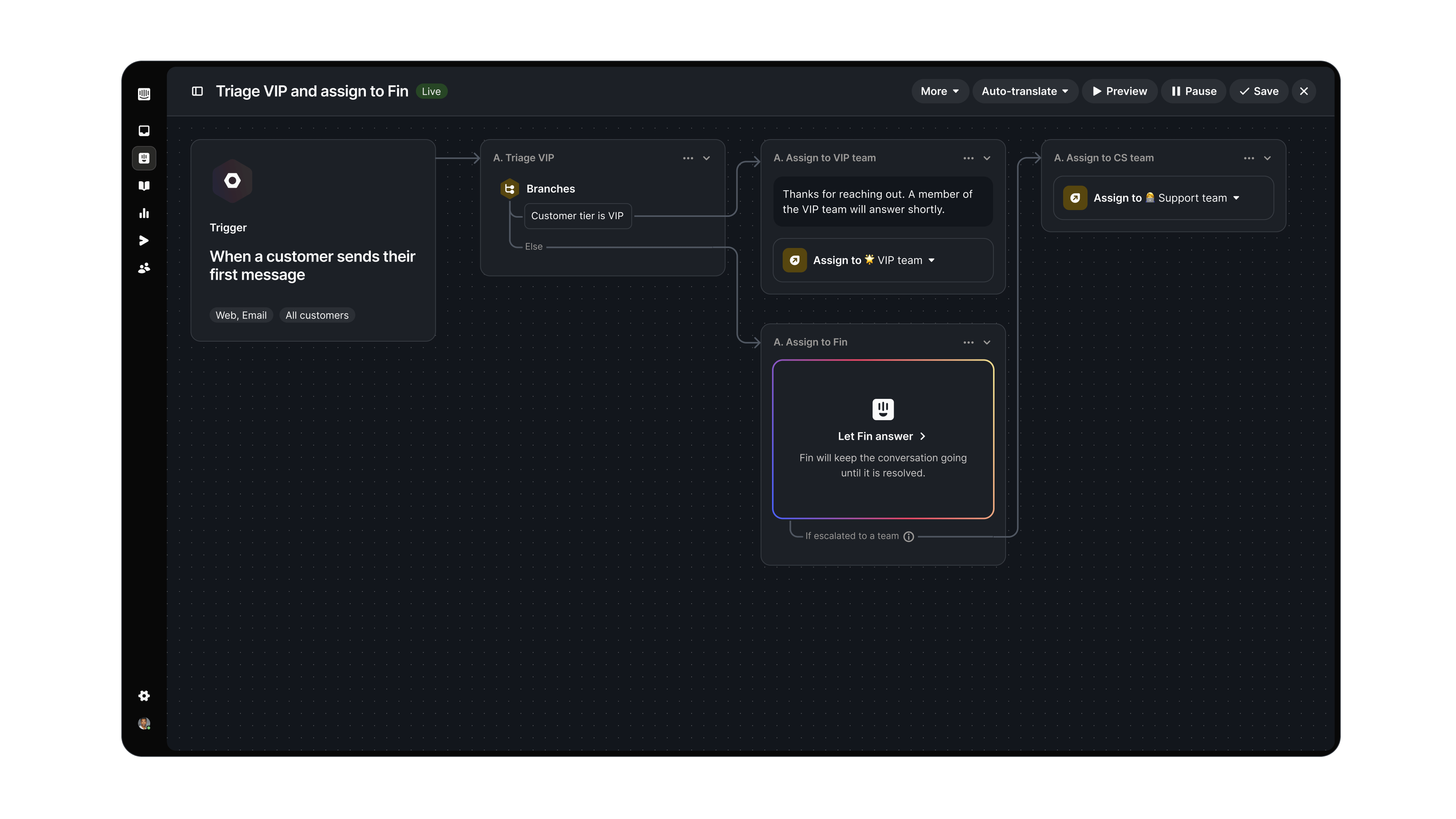
Usage Limits and Notifications
Set resolution limits and receive notifications when Fin approaches them—or automatically stop Fin delivering AI answers once limits are reached.
Read more
Knowledge Sources
Train Fin on your public and private knowledge sources to deliver consistent, accurate answers across every channel.
Read more
Fin Preview
Preview an end to end Fin conversation to validate how it uses your knowledge sources—so you can launch with confidence and ensure high quality customer experiences once live.
Read more
Fin over Whatsapp and SMS
Fin delivers conversational support over WhatsApp and SMS, just as it does on the Fin Messenger. It helps resolve more of your support volume while maintaining a consistent customer experience across channels.
Read more