Complete observability forevery customer conversation
With Insights, Monitors New , and Recommendations, you have everything you need to understand, measure, and improve your customer experience with complete confidence.
Introducing Monitors: Catch up on the announcement below

Always-on visibility across every conversation
01Insights continuously analyzes every Fin and human conversation, giving you a complete picture of how your team is performing, what customers are asking, and what's changing.
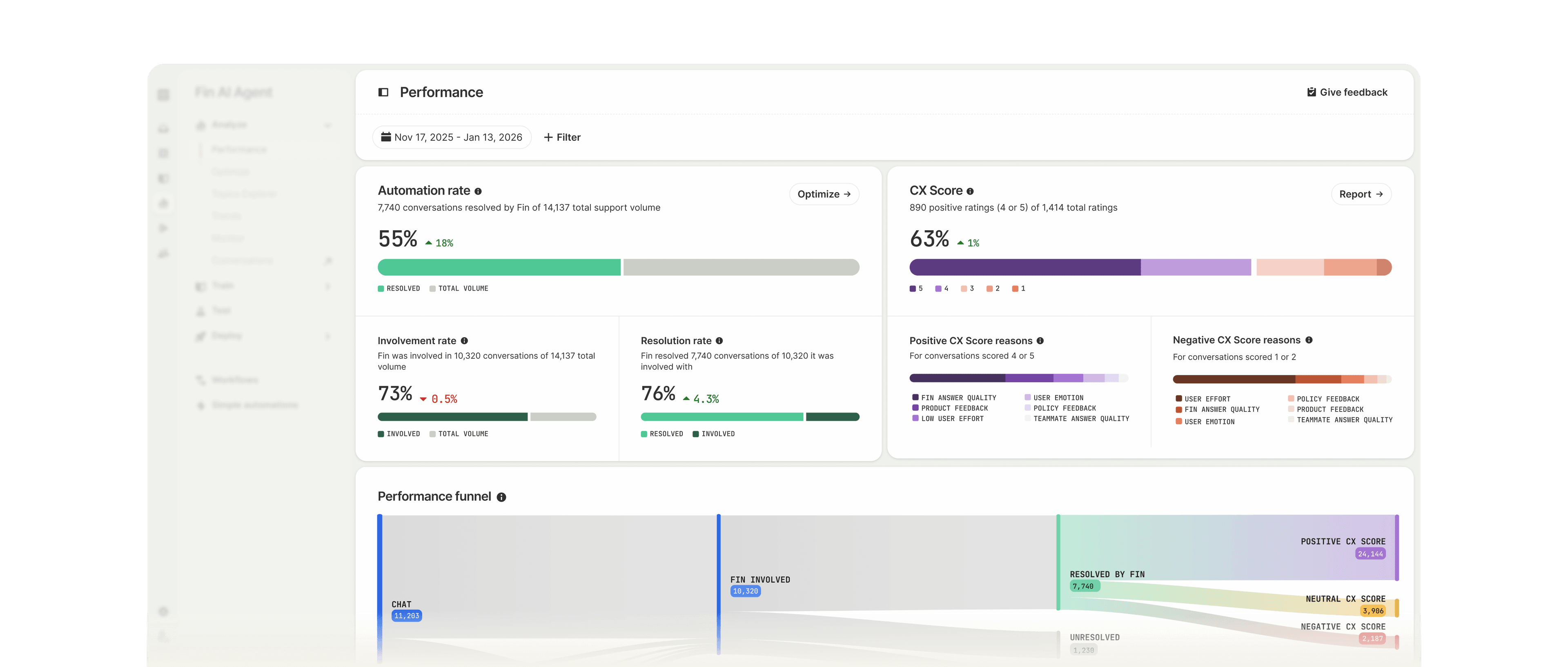
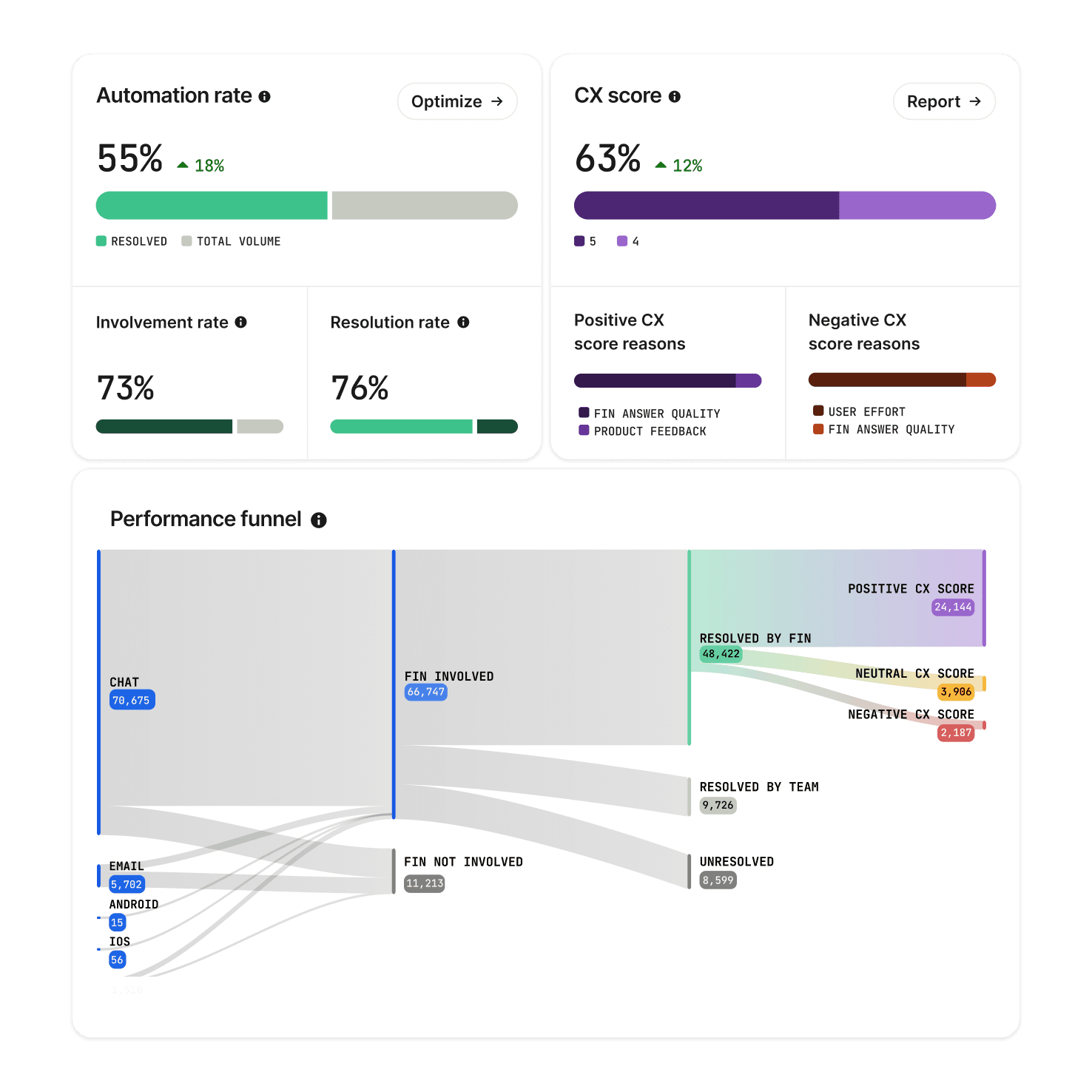
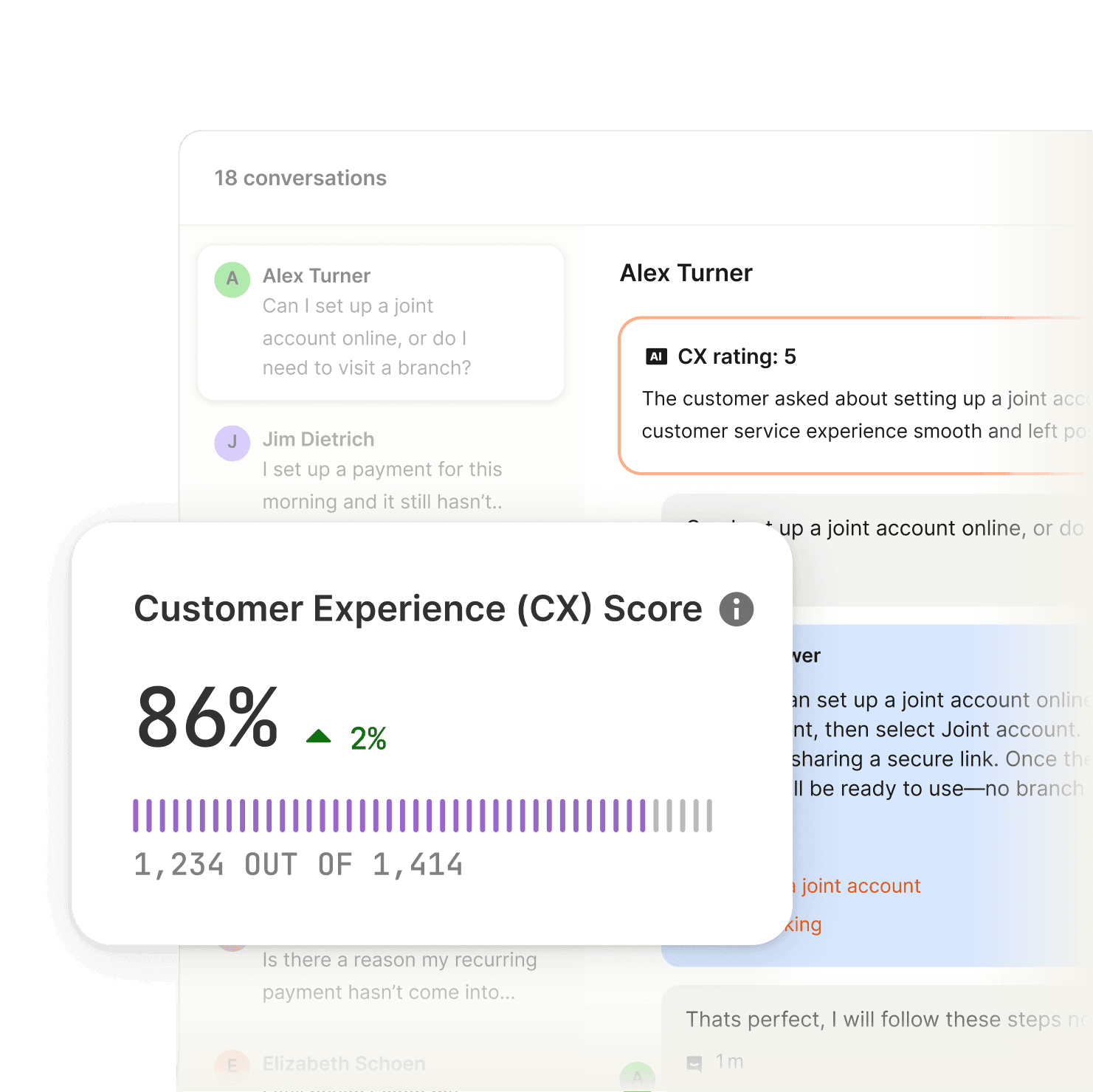
CX Score is an AI-powered metric that automatically evaluates customer sentiment in every conversation, without any surveys.
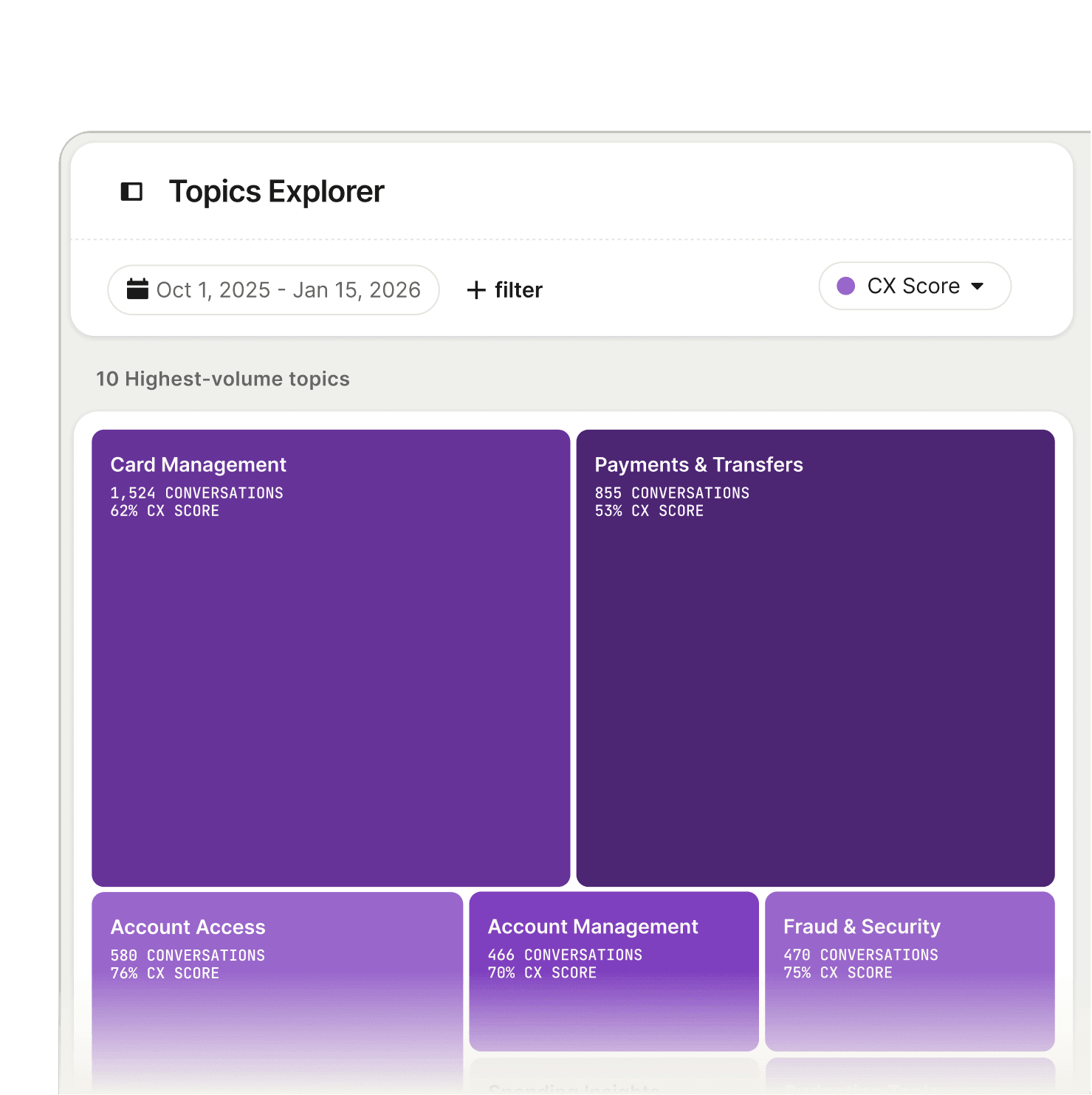
See why customers are reaching out and how your team is handling it, with every conversation automatically organized into topics and subtopics.
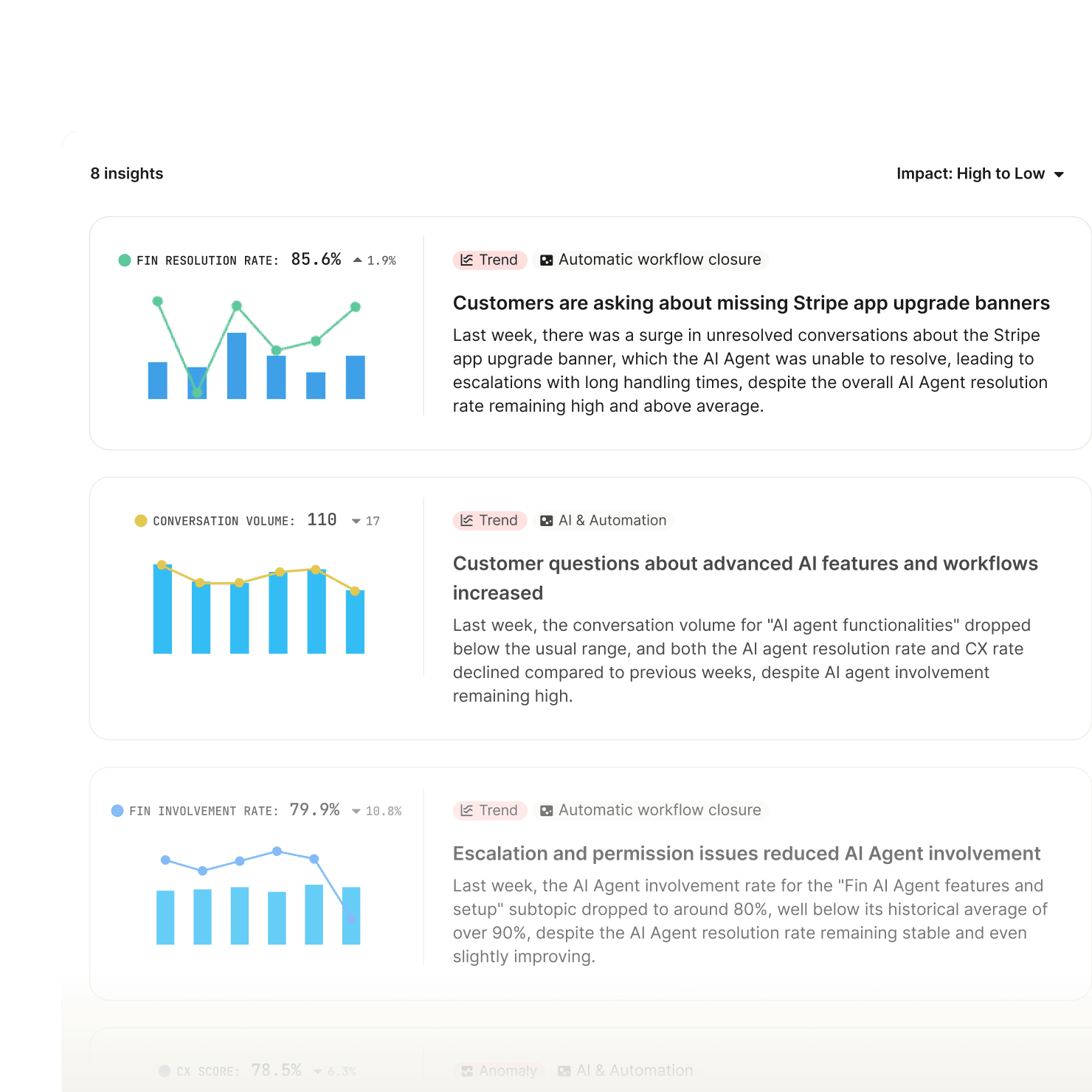
Get a weekly report of what changed across your support operation and why, so you catch emerging issues before customers feel them.
“With CX Score, we're now receiving meaningful, actionable feedback across the board. This holistic view is a complete game-changer for understanding customer experience.”

Complete control over conversation quality
02Monitors continuously watch and evaluate quality against your standards across both Fin and human conversations. So you have confidence that every conversation is handled the way you want.
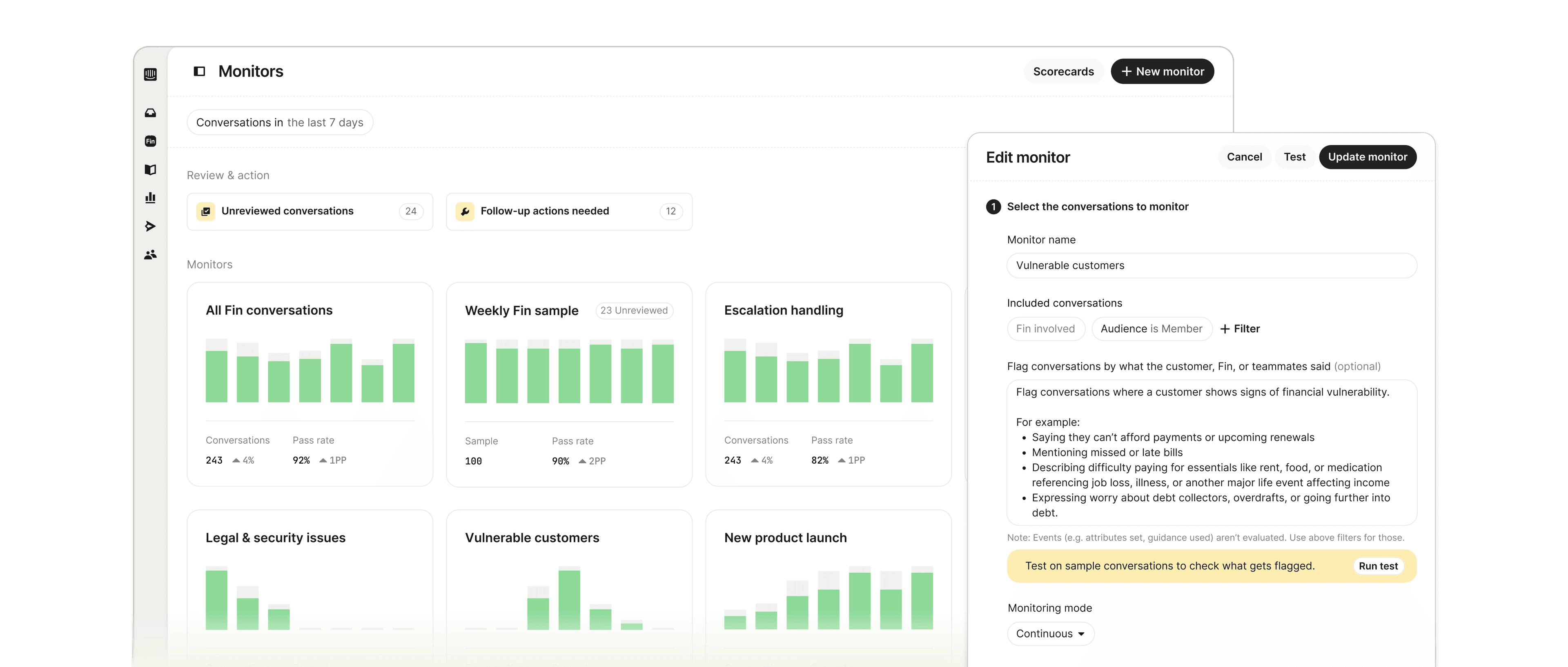
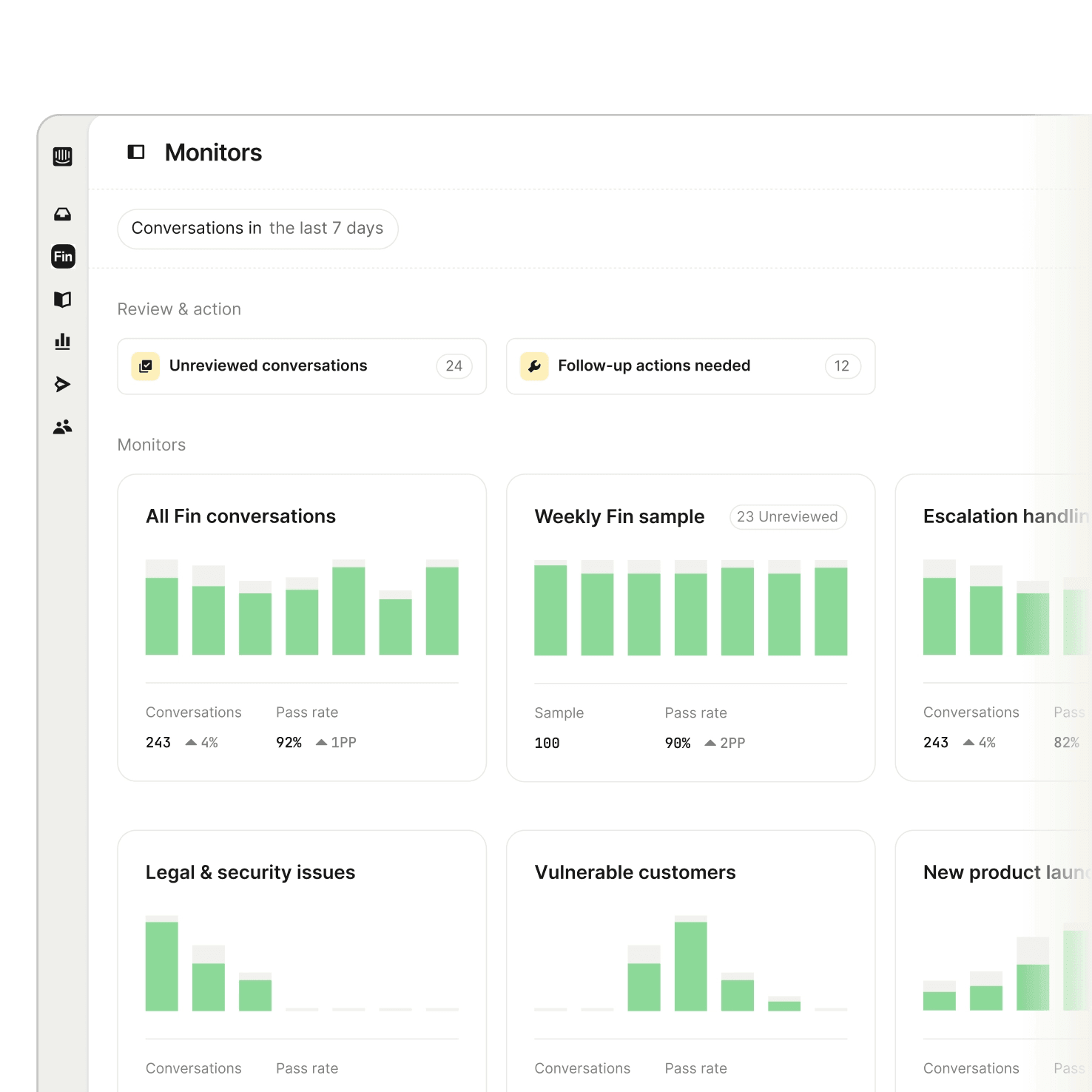
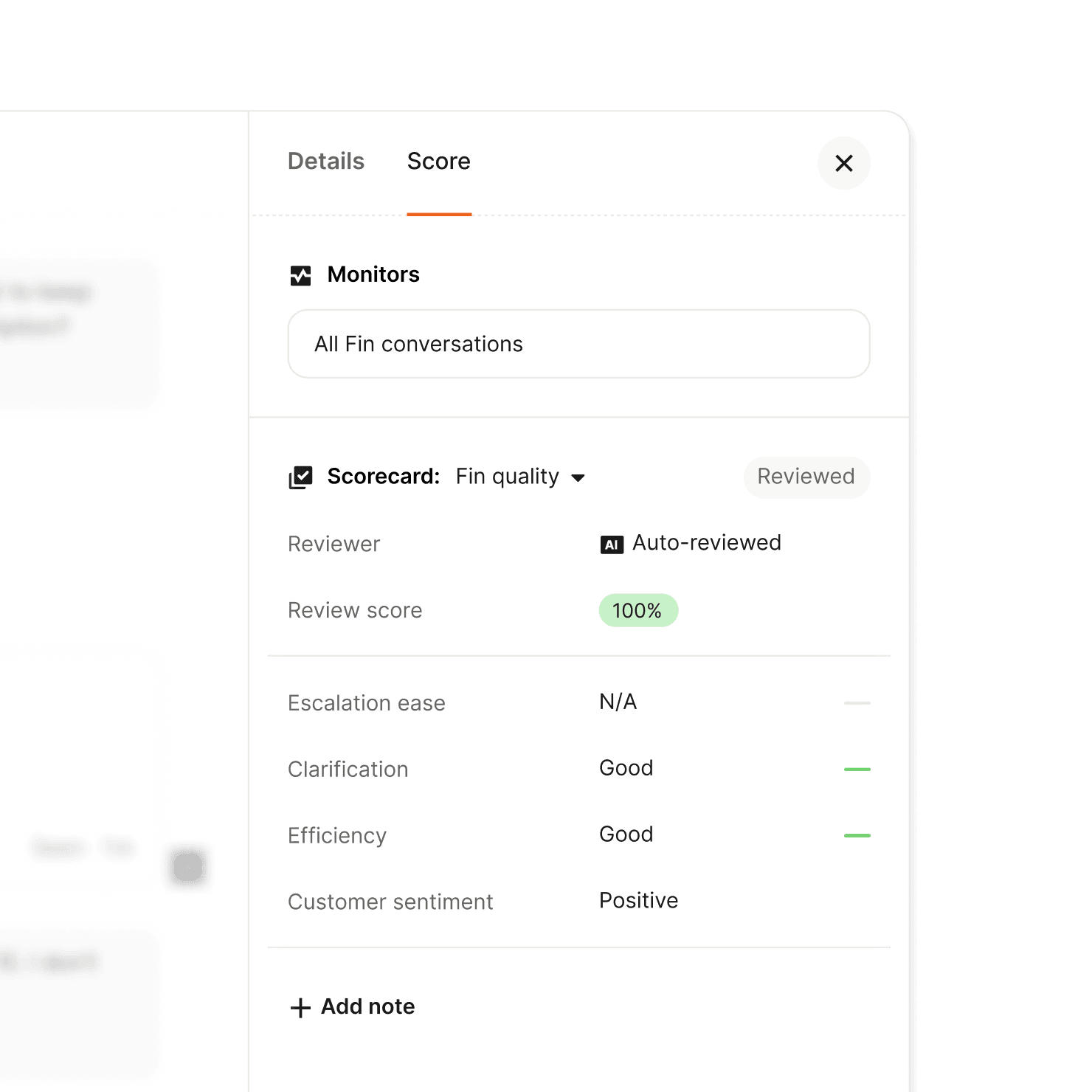
Customize scorecards to reflect how you actually operate. AI scores every conversation against it, so your team focuses on exceptions and improvements.
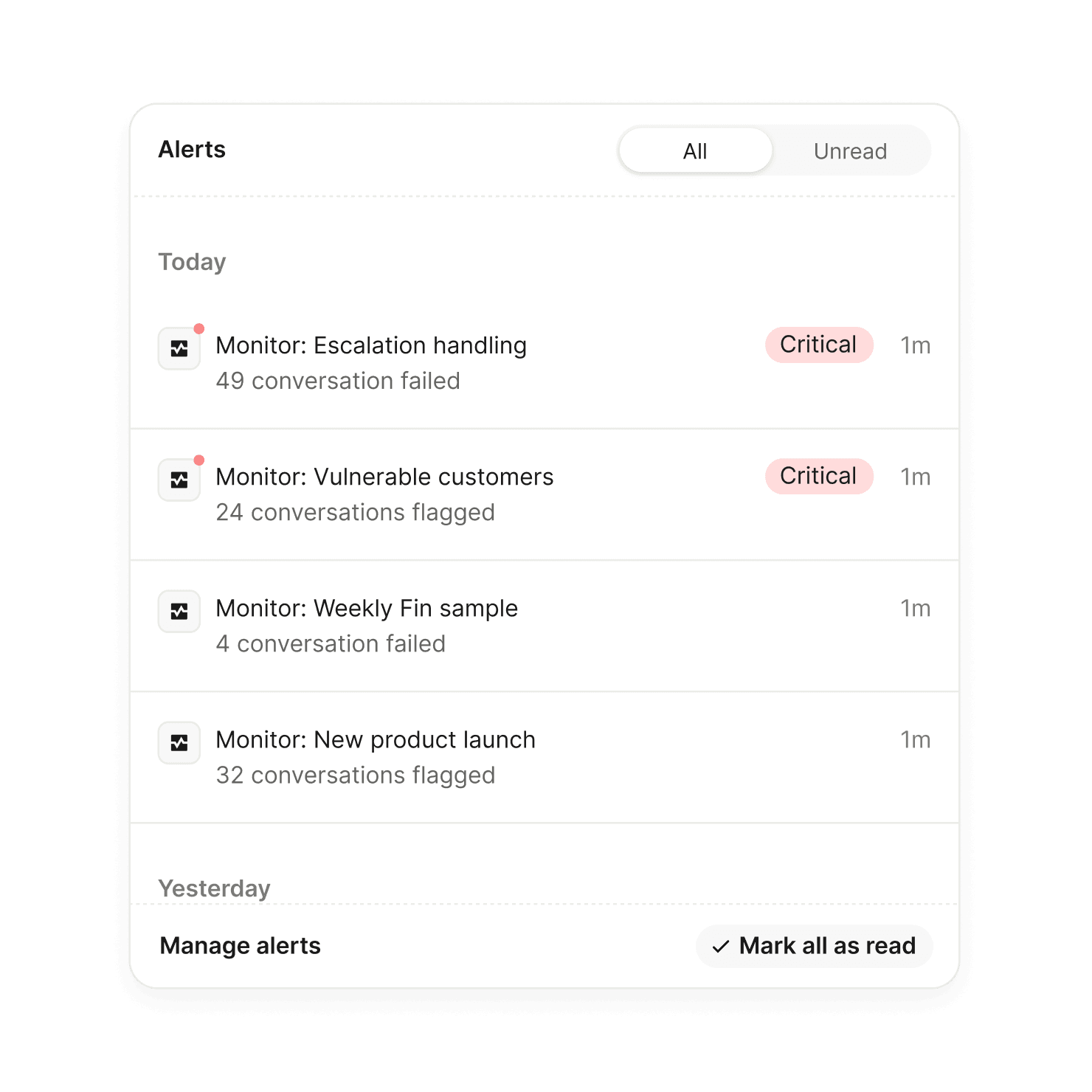
Get notified the moment a conversation falls below your standards or risky behavior emerges, so you can act before it affects more customers.
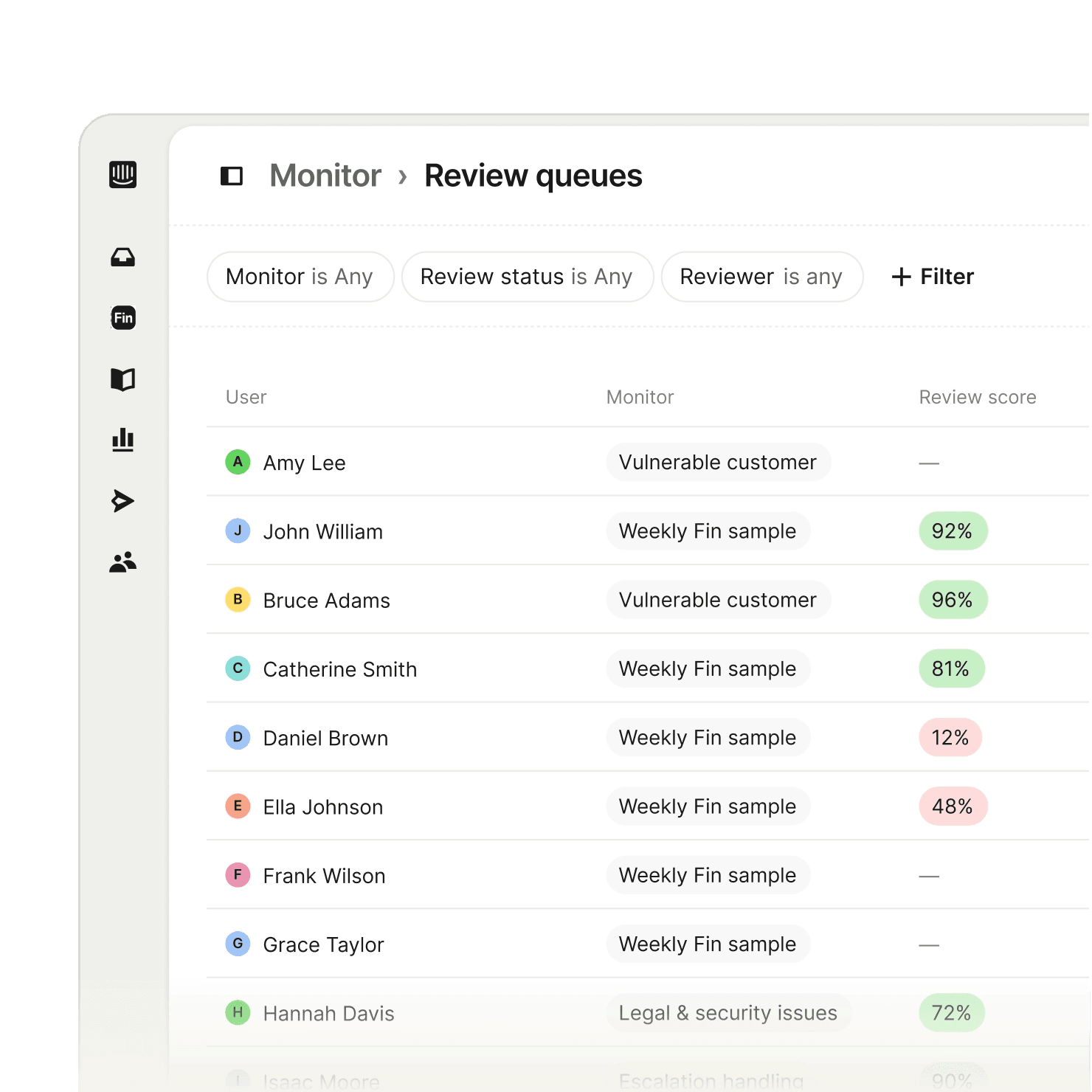
Review conversations, track fixes, and follow through on improvements with clear queues to keep your team on top of quality.
“We looked at dedicated QA tools, but what's compelling about Monitors is that it lives where our conversations already happen. We don't need another system—we can run QA across Fin and our human team in one place.”

Every conversation becomes a Fin improvement
03Recommendations continuously reviews every conversation Fin couldn’t resolve and surfaces prioritized fixes you can apply instantly. So improving Fin never requires manual work.
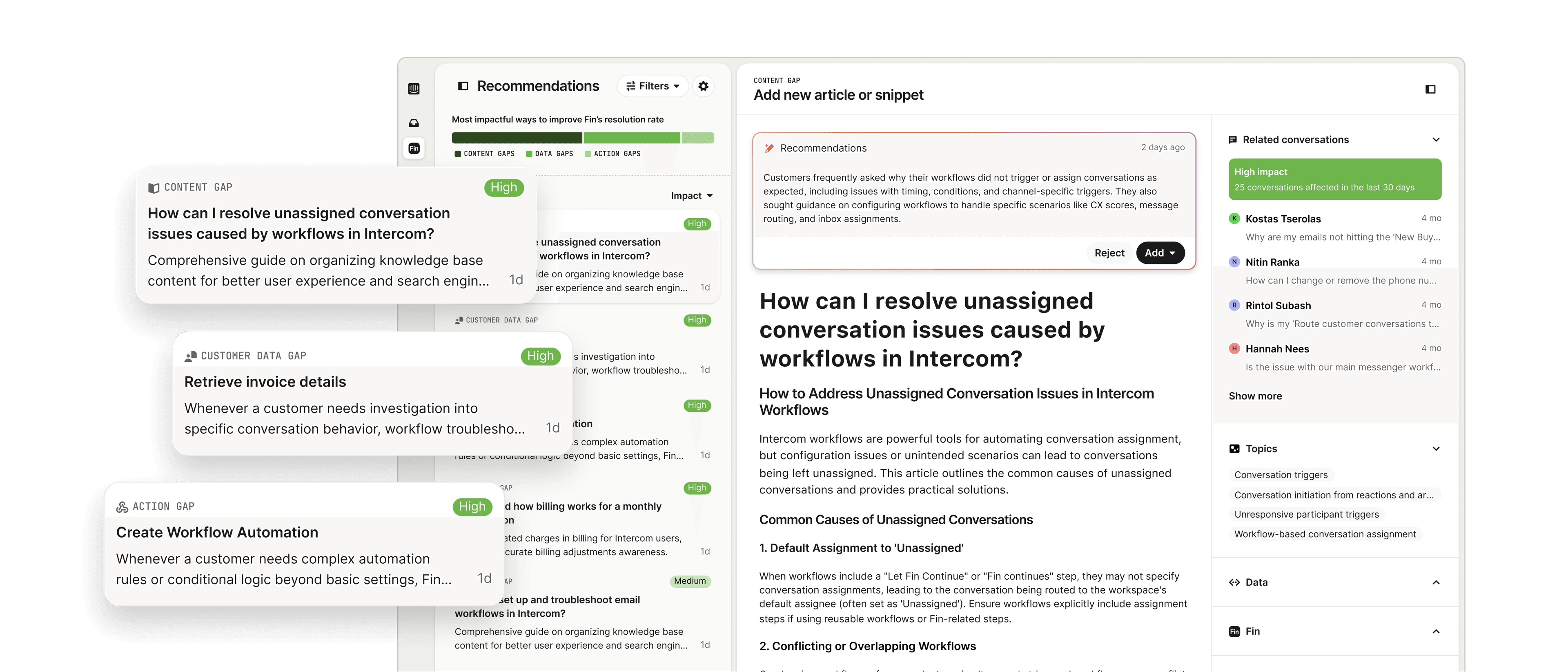
See exactly where gaps in content, data access, or actions are holding back your resolution rate, without the need for manual investigation.
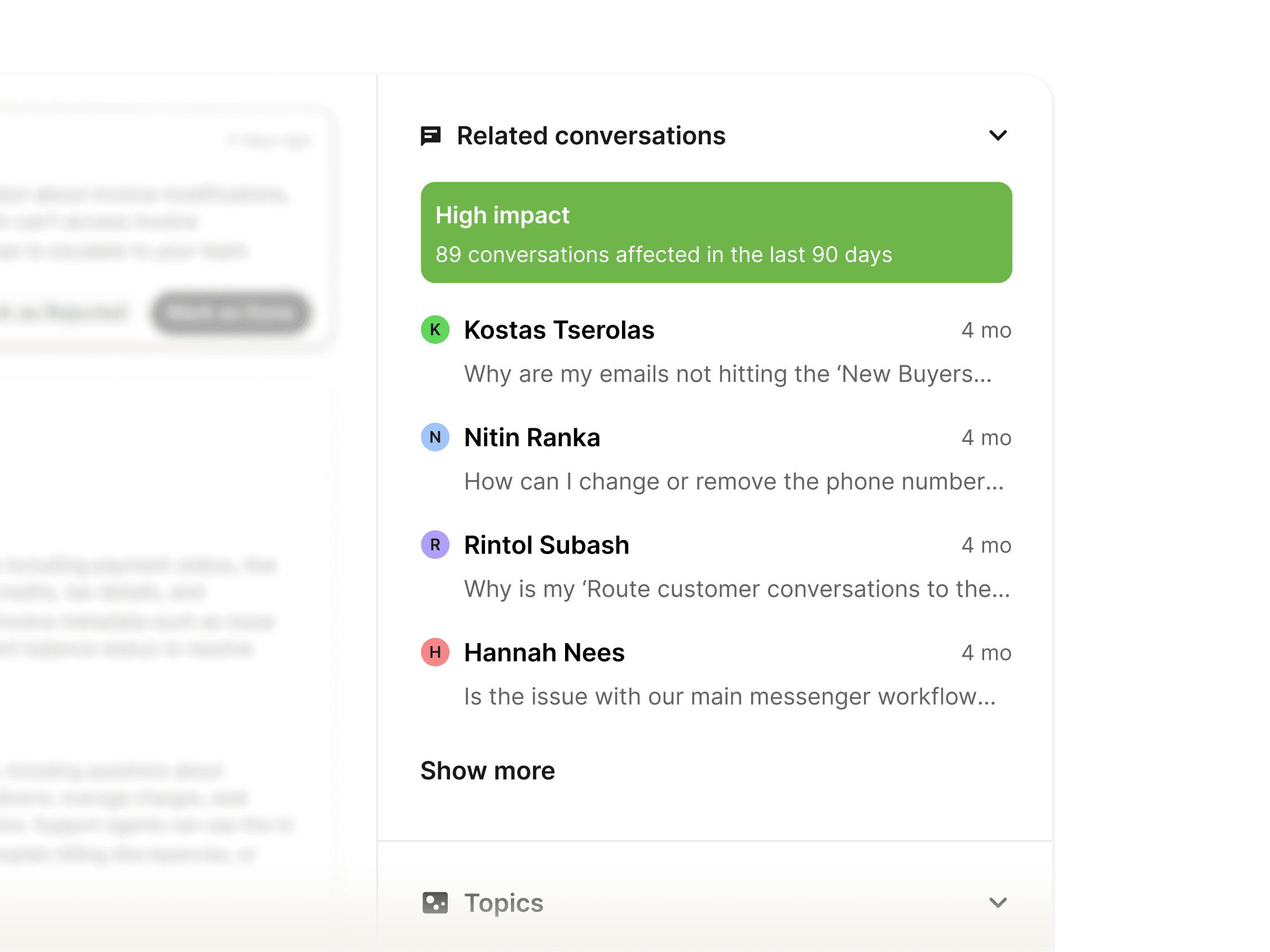
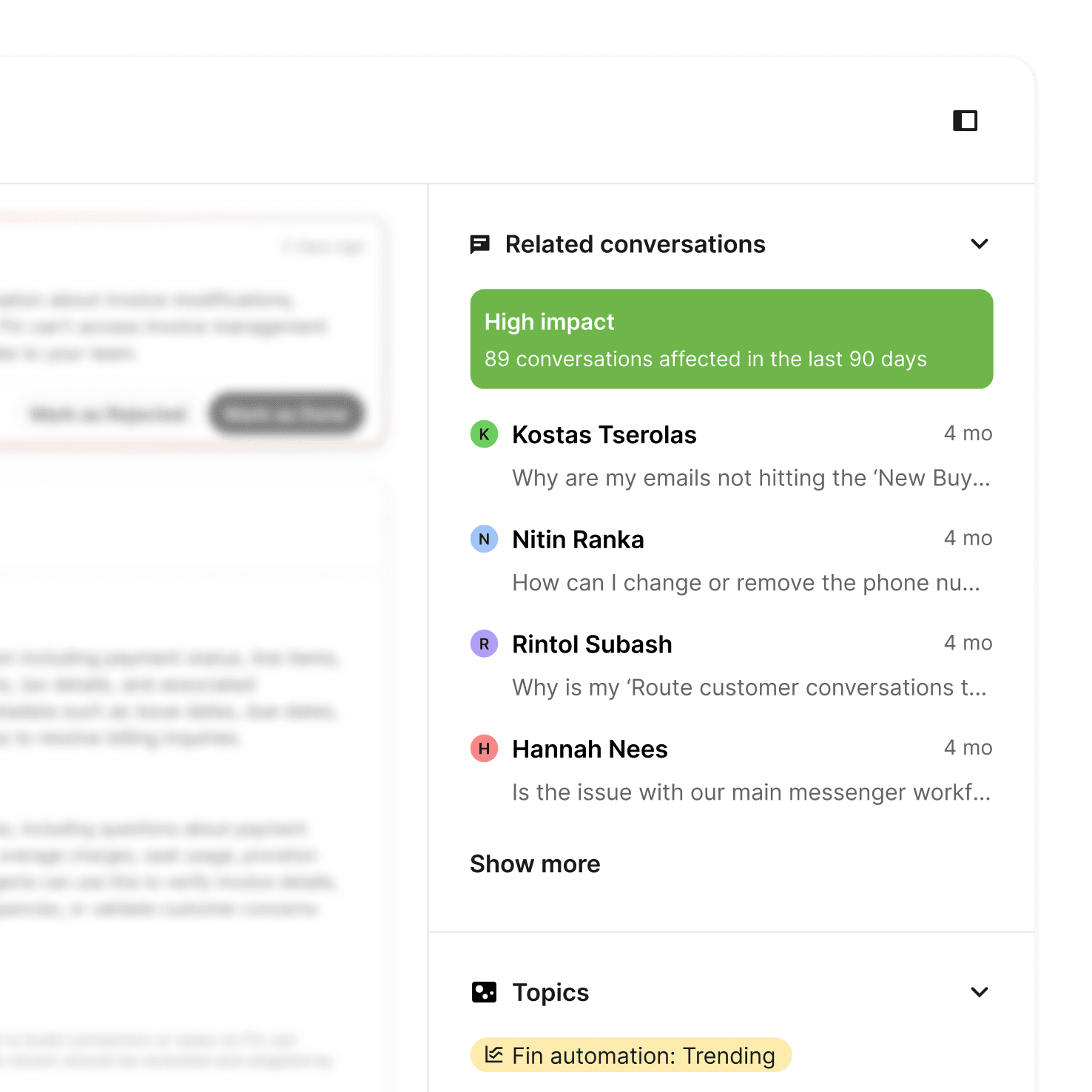
Each recommendation is grounded in real conversations and shows potential impact so you prioritize effort where it matters most.
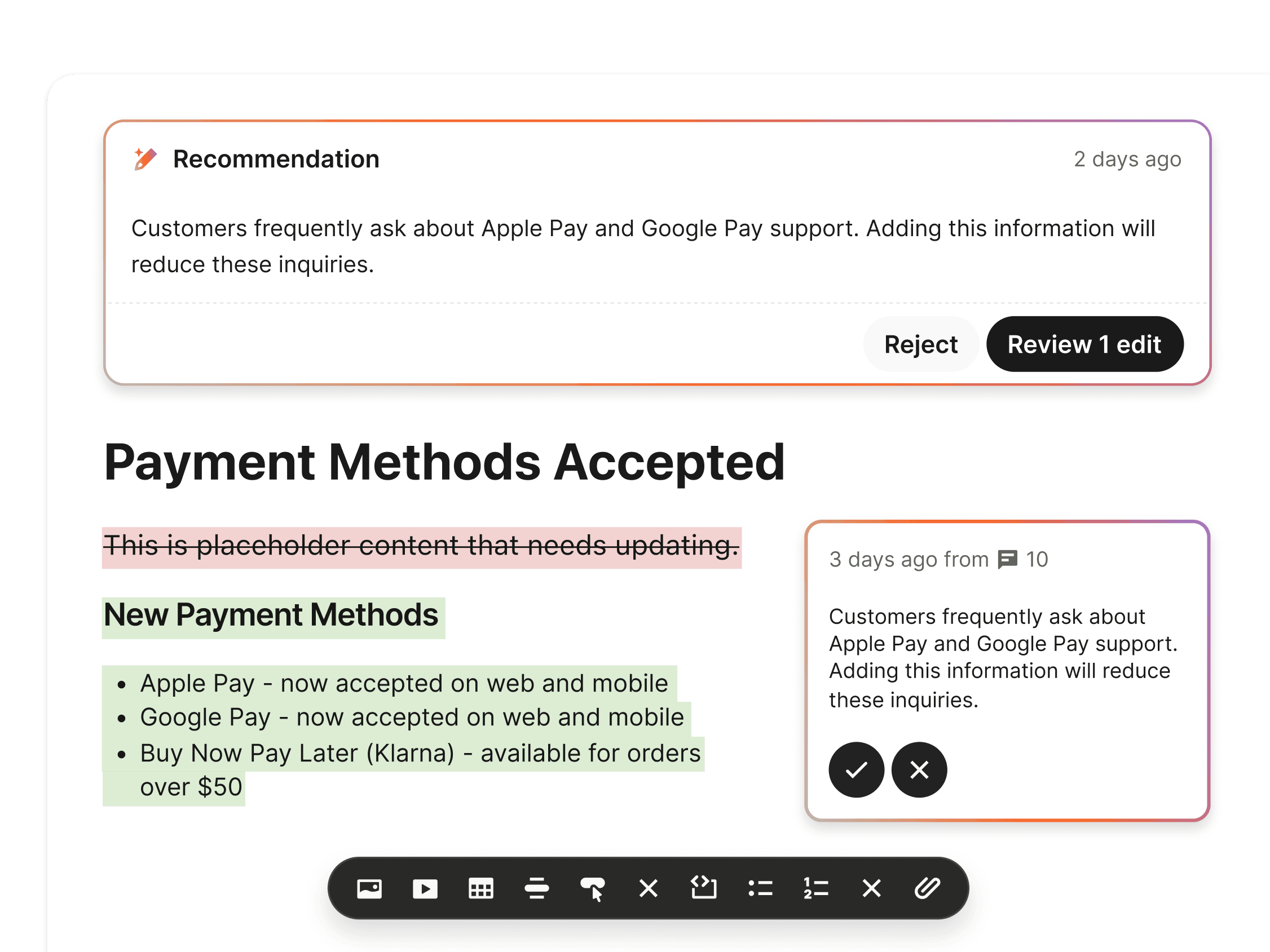
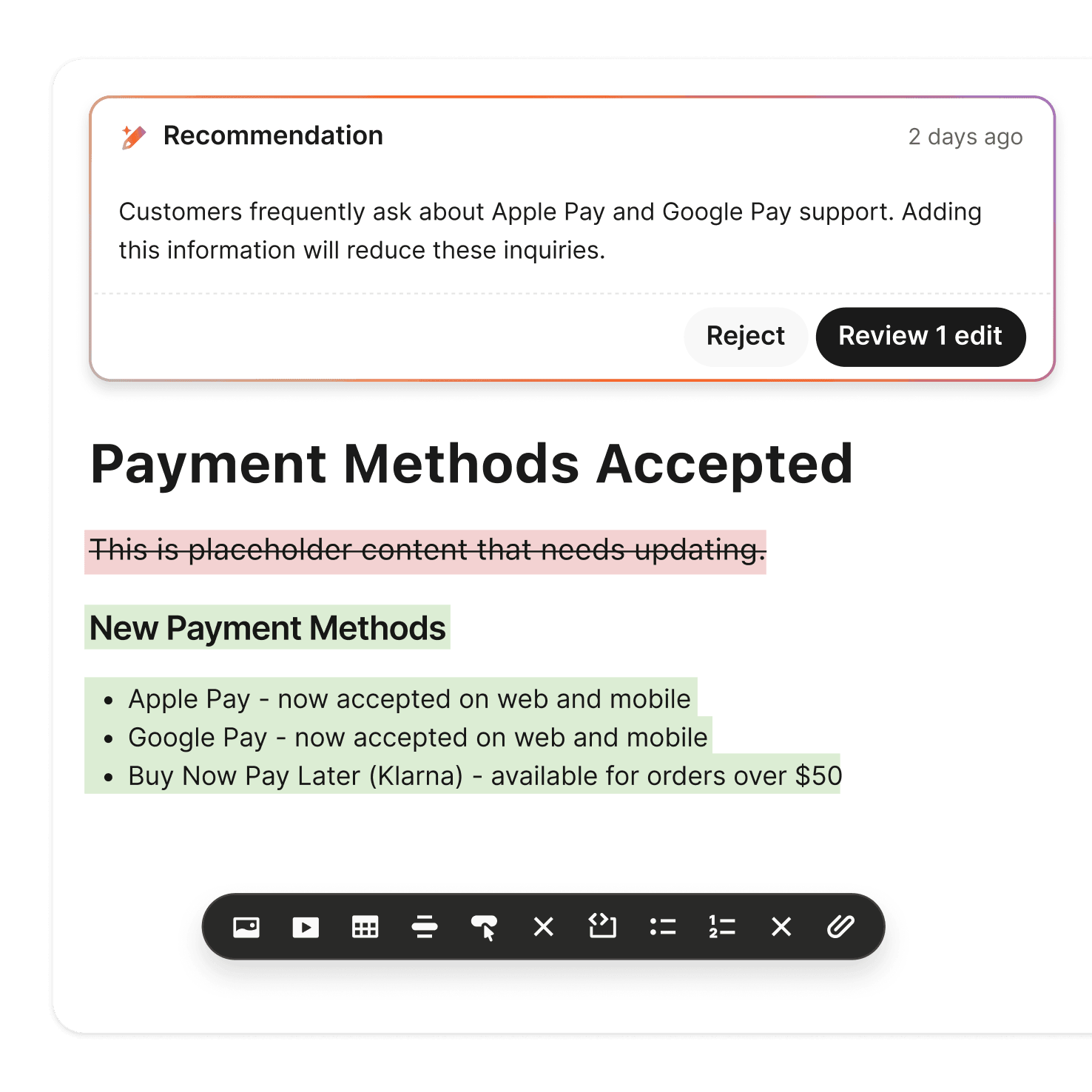
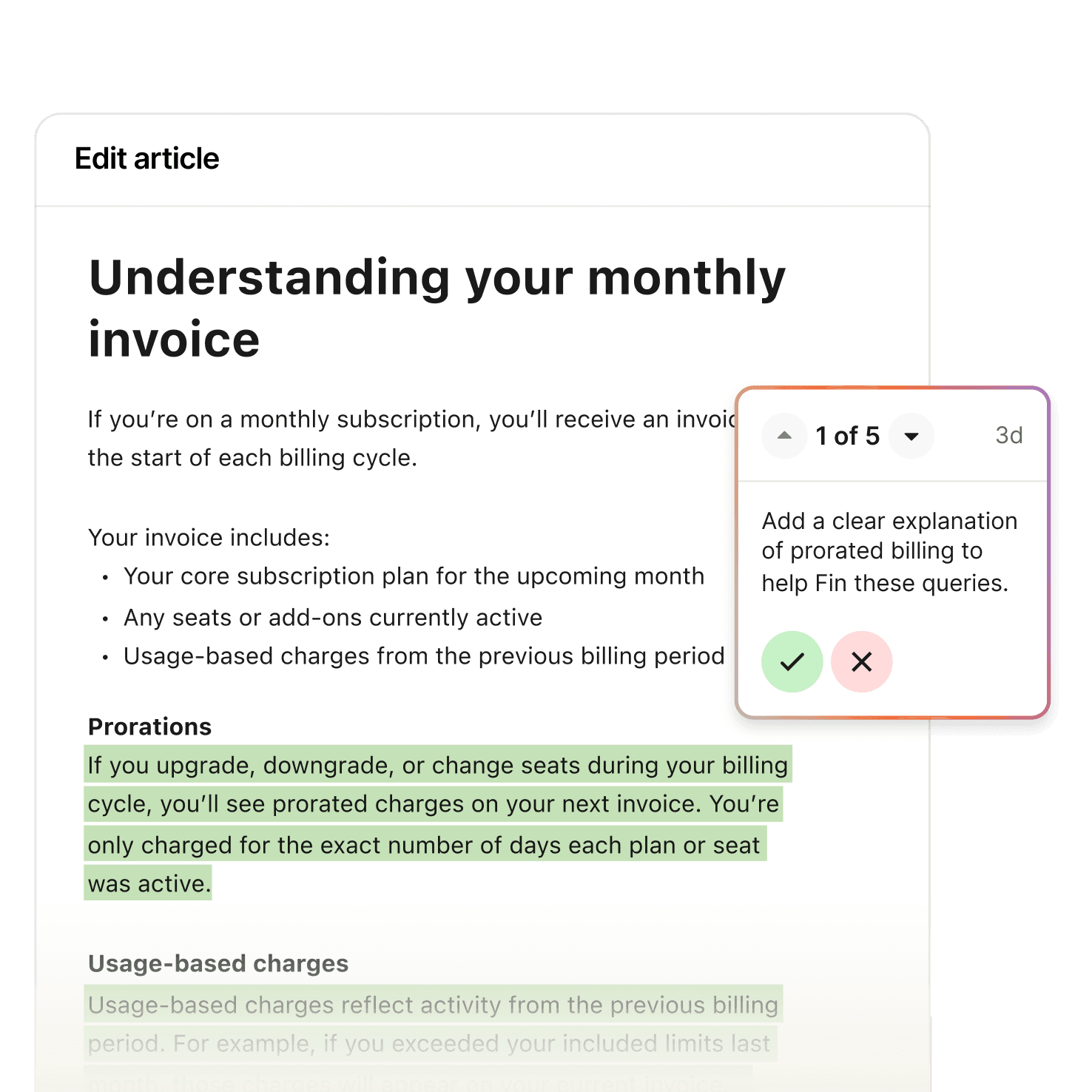
Review, accept, or edit suggested content updates and sample API documentation with a single click—and immediately improve Fin's performance.
“Recommendations take the guesswork out of improving our content. With the help of weekly Recommendations reviews, we've increased our total resolution rate by 15%.”

FAQs
Can I run quality assurance (QA) across both Fin and human conversations?
Yes. Monitors run quality assurance across both Fin and human conversations, continuously evaluating quality against your standards so you always know every interaction is handled the way you want. Combine precise filters with natural language to surface the right conversations, from routine QA to high-risk scenarios, then customize scorecards, get real-time alerts, and work through review queues, all in one place instead of a separate QA tool. See how support teams put this into practice in our customer stories.
What is CX Score, and how is it measured?
CX Score is an AI-powered metric that automatically evaluates customer sentiment in every conversation without any surveys, giving you complete visibility into 100% of customer conversations. It sits alongside Automation rate in a single performance dashboard, so you can see how much work Fin is doing and whether customers are happy in one view. The scoring is powered by Fin's AI Engine.
What is Insights?
Insights continuously analyzes every Fin and human conversation, giving you a complete picture of how your team is performing, what customers are asking, and what's changing. With our Performance Dashboard, you can continuously track automation and customer experience in one view so you always know how much work Fin is doing, and whether customers are happy with every conversation. To see how Fin's resolution rate compares across industries, explore the Fin benchmarks.
What is Monitors?
Monitors gives you a single view of quality across every Fin and human conversation, continuously monitored against your standards, so you always know every interaction is handled the way you want.
What is Recommendations?
Recommendations continuously reviews every conversation Fin couldn't resolve and surfaces prioritized fixes you can apply instantly. Recommendations allows you to see exactly where gaps in content, data access, or actions are holding back your resolution rate, without the need for manual investigation. Many fixes involve updating the content you train Fin on, so improvements go live with a single click.
How does Fin improve its resolution rate over time?
Recommendations continuously reviews every conversation Fin couldn't resolve and surfaces prioritized fixes you can apply instantly, so improving Fin never requires manual work. Each recommendation is grounded in real conversations and shows potential impact, and you can review, accept, or edit suggested updates with a single click. Anthropic increased its total resolution rate by 15% with the help of weekly Recommendations reviews. See how Fin performs across millions of conversations in the Fin resolution rate benchmarks.
Do I need to set anything up to use Analyze?
No manual setup or surveys are required. Insights continuously analyzes every Fin and human conversation automatically, CX Score evaluates customer sentiment without any surveys, and every conversation is organized into topics without manual analysis. Recommendations surfaces prioritized fixes without the need for manual investigation, so you get always-on visibility into performance and quality from the start.
Get started with the #1 AI Agent today