



Share section:
2.6 Deploy the AI Agent
Once you’ve chosen your AI Agent, the next step is to deploy it.
If you didn’t deploy the AI Agent to real customers as part of your initial evaluation, now is time to start rolling it out – integrating it with your support channels, letting it handle real conversations with your customers, and seeing it deliver meaningful value.
Build a deployment plan
Start by translating your business case and evaluation results into a deployment roadmap. This keeps your rollout focused, scoped, and tied to the goals you’ve already identified.
Here’s what you need to define:
Deployment scope
Start by identifying the use cases you want your AI Agent to handle. Map out the ones you’ll want to address now, next, and later. This gives you a roadmap to full automation, but also keeps things grounded by outlining the initial deployment targets – the conversations your AI will handle first. (You can use the use cases identified in your business case to get started, but now’s the time to think beyond that.)
Rollout model
There are two possible approaches here:
-
Fast-track Launch to a broad audience and iterate in production.
-
Phased rollout Start with specific topics, user segments, or channels, and expand in waves.
What you choose will be dependent on your company, industry, and customers.
Here’s a way to think about this:
| ROLLOUT STYLE | BEST FOR | TRADE-OFFS |
|---|---|---|
| FAST-TRACK | Startups, fast-moving teams, bold exec sponsors | Fastest feedback and ROI. Higher stakes. Requires strong alignment. |
| PHASED | Enterprises, regulated industries | De-risks launch. Slower path to impact. |
If you choose to phase, here’s a model for expanding gradually:
-
Phase 1 High-volume topics, low-risk customer segments, specific channels.
-
Phase 2 Related topics, broader customer groups, new channels.
-
Phase 3 More complex scenarios, edge cases, all customers, all channels.
Prepare your team
A successful deployment requires clear accountability. Assign owners for:
-
Content quality Ensuring your AI Agent has the right information, in the right format.
-
System configuration Managing integrations, workflows, and behavioral tuning.
-
Performance tracking Monitoring early results and identifying opportunities to optimize.
Determine how you’ll measure success
Set checkpoints.
If your target is a 65% resolution rate within 90 days, what does success look like at week 2, week 4, week 8?
Prepare your AI Agent for production
Your AI Agent is only as strong as the content it’s trained on and the configuration behind it.
Prioritize four areas of readiness:
-
Content Knowledge your AI Agent has access to. Use this comprehensive Knowledge Management Guide if you're looking for detailed guidance.
-
Data Connect relevant data sources, like your CRM or billing platforms, so your AI Agent can deliver contextual, customer-specific responses.
-
Behavior Set behavioral rules and determine its tone of voice. This ensures your AI Agent speaks with the same clarity and consistency as your best human agents.
-
Orchestration Configure the high-level settings for the AI Agent – what languages it speaks, what channels it’s available on, and how it hands over to a human agent when required.
In addition to these four core areas, if you're planning to automate more complex, multi-step workflows like processing refunds, troubleshooting technical issues, or managing billing changes, you'll need to train your AI Agent to follow your SOPs, including any conditional logic, system integrations, or approval checkpoints your processes require.
This is the work with the greatest impact on resolution speed, handover experience, and overall automation rate.
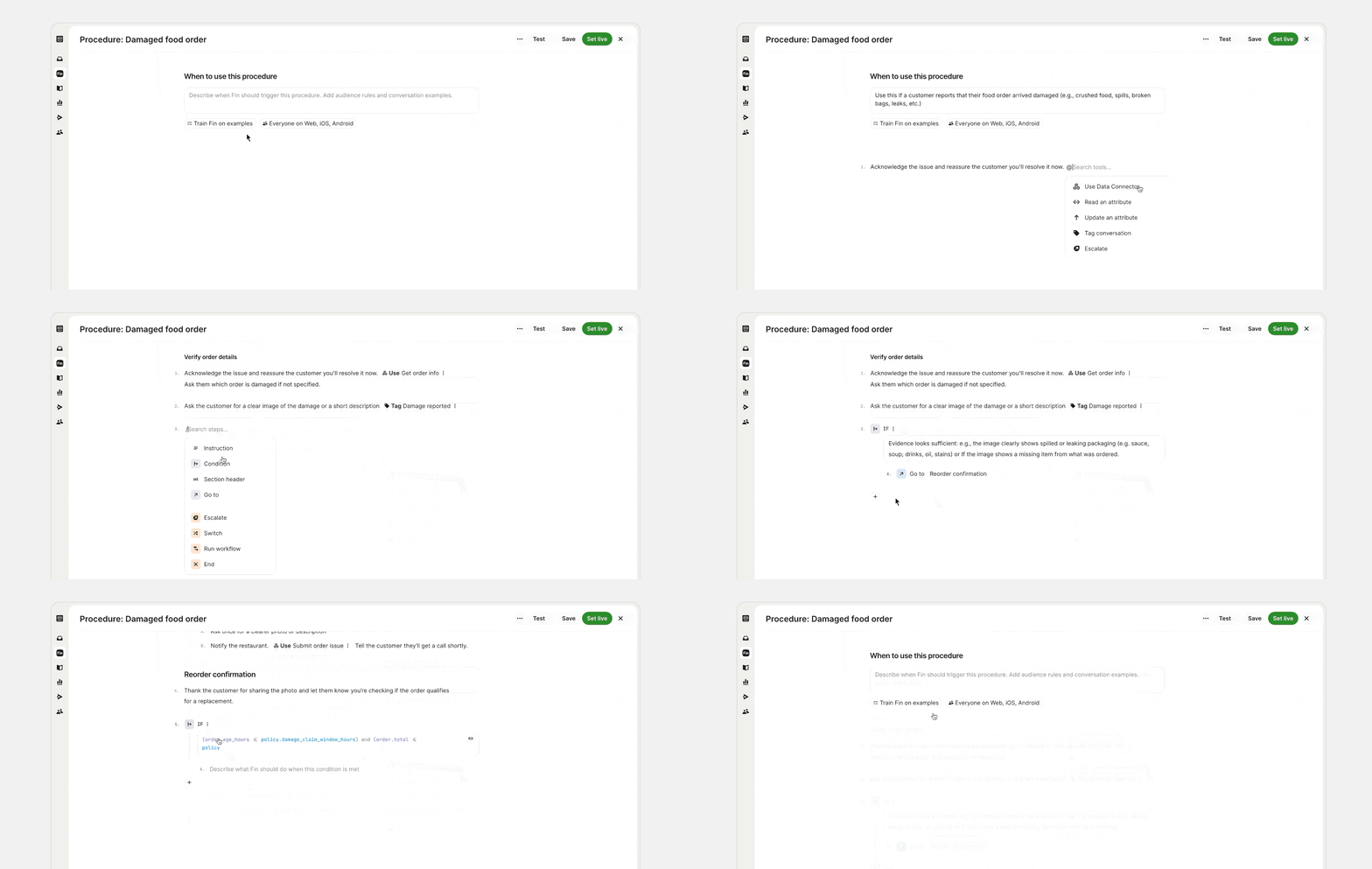
If you're using Fin, Procedures let you train it to handle these complex queries that normally would have required human involvement end-to-end. They're easy to set up as you describe processes in natural language (or paste in your existing SOPs), then add structure where needed:
-
Conditional steps (branching logic) for decision points.
-
Data connectors to pull information or take actions.
-
Checkpoints for human approval.
Launch to customers
Before the AI Agent goes live, test the full customer experience:
Ask:
-
Is the AI Agent available in the right channels?
-
Are customer segments clearly defined?
-
Is the introduction message clear and on-brand?
-
Are handover flows between humans and AI Agents easy and reliable?
-
Are feedback loops (e.g. CSAT surveys) in place?
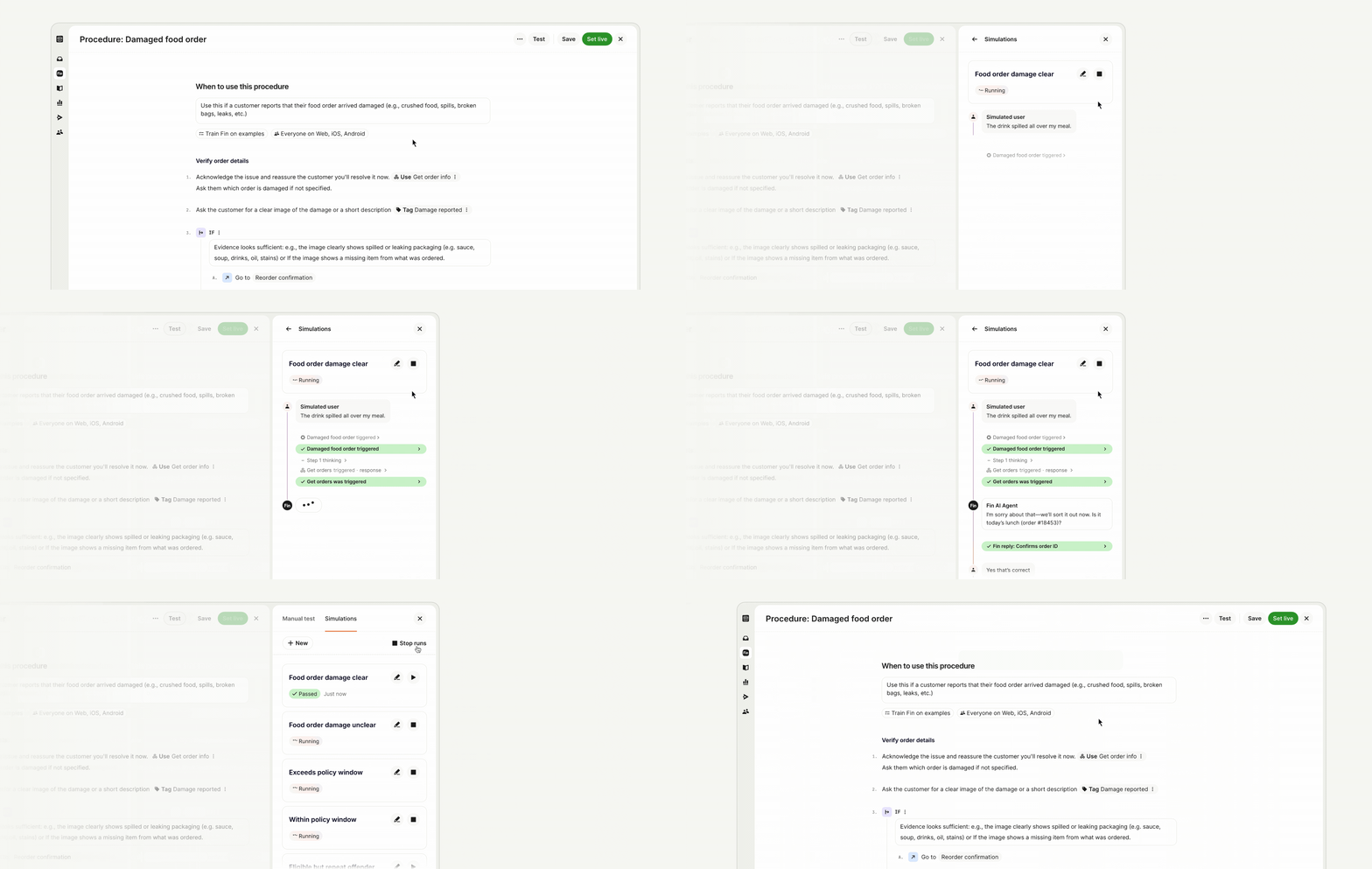
If you're using Fin and have set up Procedures as part of your initial launch, the Simulations feature helps you test that everything has been set up correctly before you go live.
Simulations enable you to run fully simulated customer conversations to see exactly how Fin follows each step, when it's reasoning, and where it passes or fails. If something needs adjustment, Operator – Fin's Agent for customer operations – suggests fixes you can apply immediately and re-test. All your Simulations are stored in a library you can re-run whenever processes change, so you always know your automation is working correctly.
When you’re happy with the experience, deploy your AI Agent and begin monitoring performance. If you’re approaching the launch in phases, use this step to launch phase 1, validate assumptions, learn fast, and build momentum.
Apply your success framework
Now that you’re live, use the success metrics you previously defined to track real-world performance, for example:
-
Resolution rate Are you hitting your benchmark for end-to-end automation?
-
Customer satisfaction Is CSAT or your Customer Experience Score steady or improving?
-
Efficiency gains Are you saving time and reducing manual volume?
If the results are off-track, don’t panic. Most early issues stem from content gaps, configuration issues, or data access. This becomes the next part of the process: moving from deployment to always-on monitoring and optimization. We’ll break that down in the next chapter.
Next section: 2.7Optimize