Built to resolve the most complex queries on every channel
Fin handles even the most complex queries through a continuous improvement loop called the Fin Flywheel. Train Fin on your Procedures, knowledge, and policies, test performance before launch, deploy across every channel, then analyze and improve with AI-powered Insights—so every query is resolved accurately and consistently.
Train Fin to resolve the most complex queries
Train Fin to resolve the most complex queries
01Train Fin on your Procedures, knowledge, and policies, so it follows your rules and resolves complex, multi-step queries accurately and reliably.
Procedures let Fin handle complex queries with multiple steps, business logic, third party systems, or cross-team approvals. Combine natural language instructions with deterministic controls to create powerful Procedures that follow your exact rules when needed.
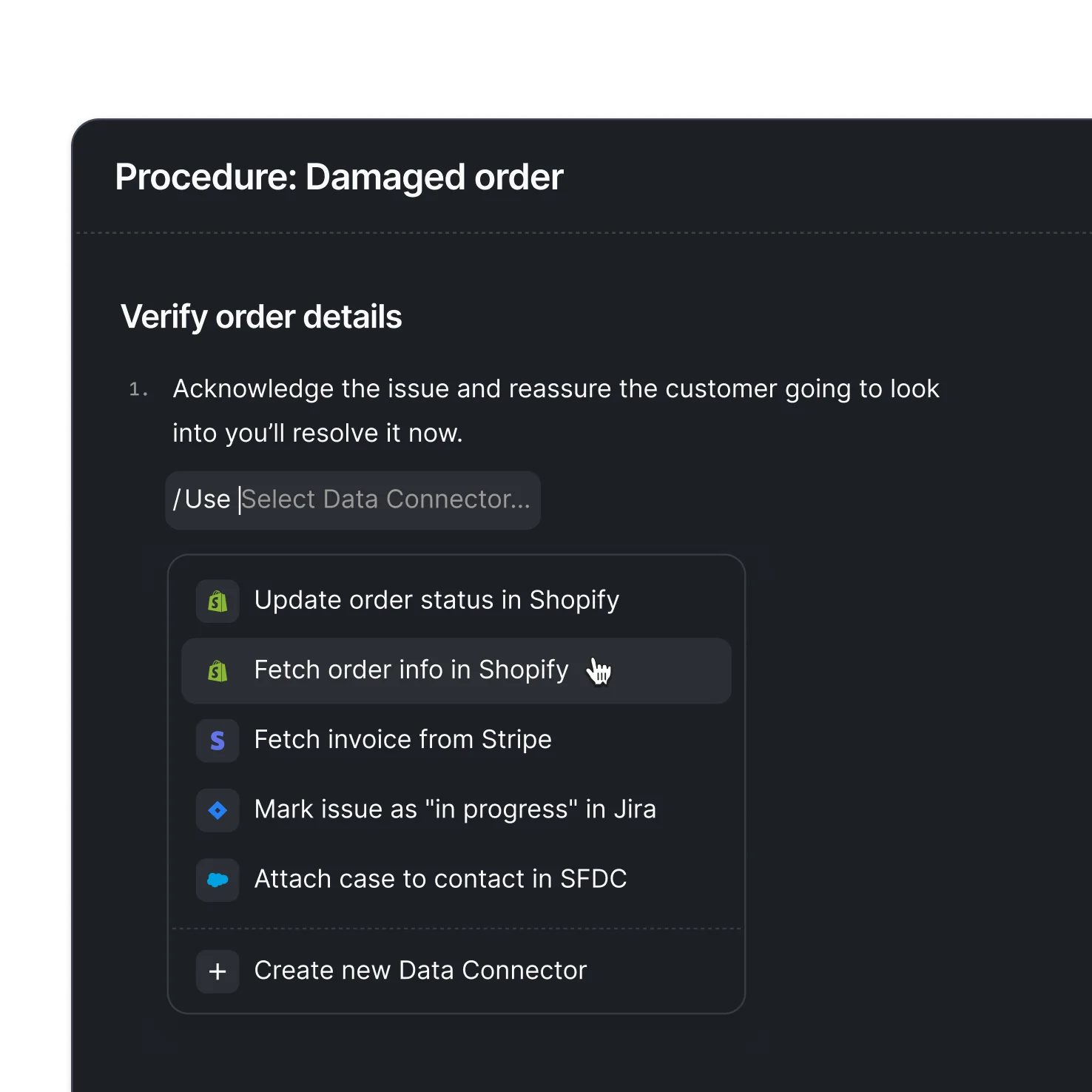
Data Connectors enable Fin to securely retrieve data and take action in external systems like Shopify, Stripe, and Salesforce.
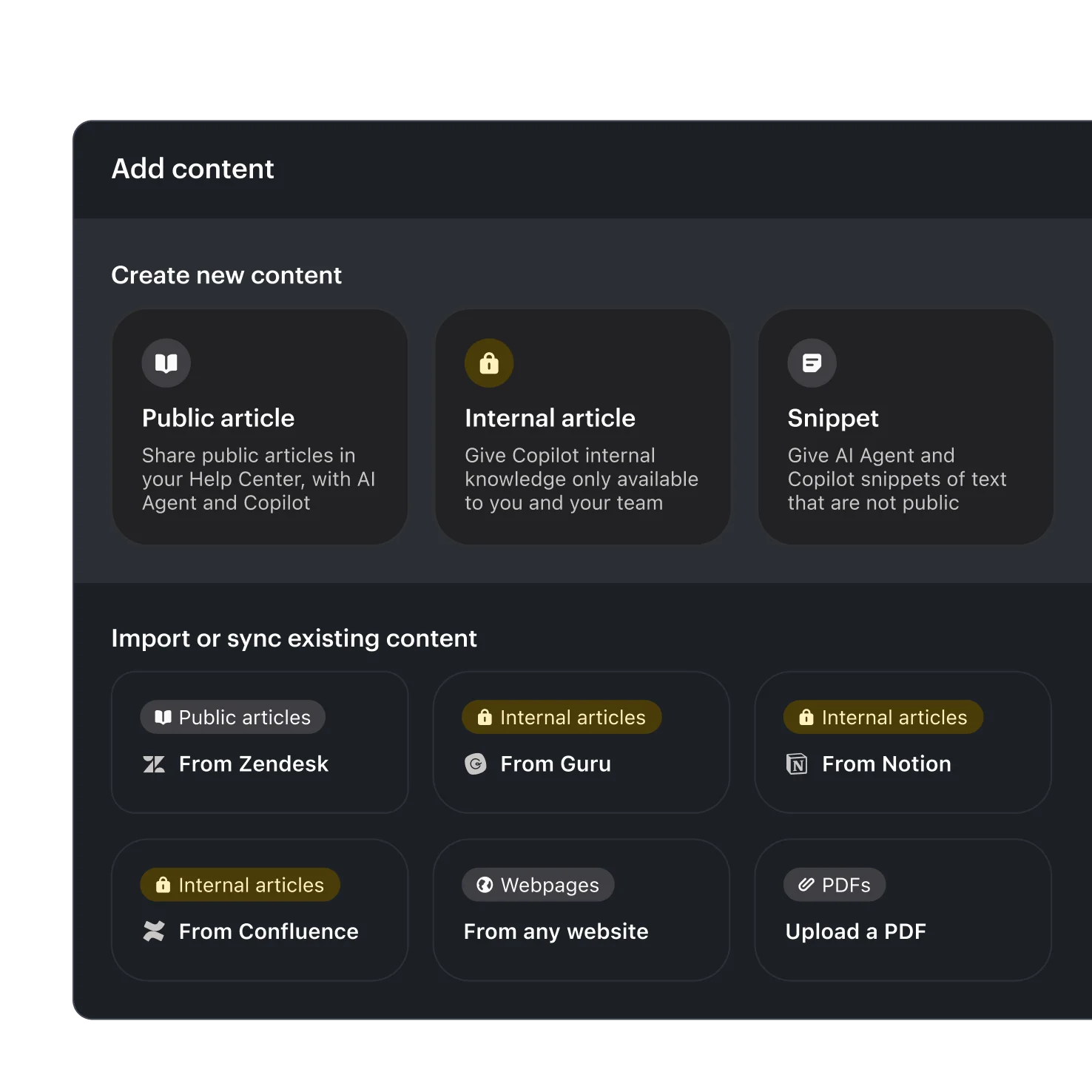
Fin instantly learns from a variety of public and private knowledge sources, including Help Center articles, internal support content, PDFs, and URLs.
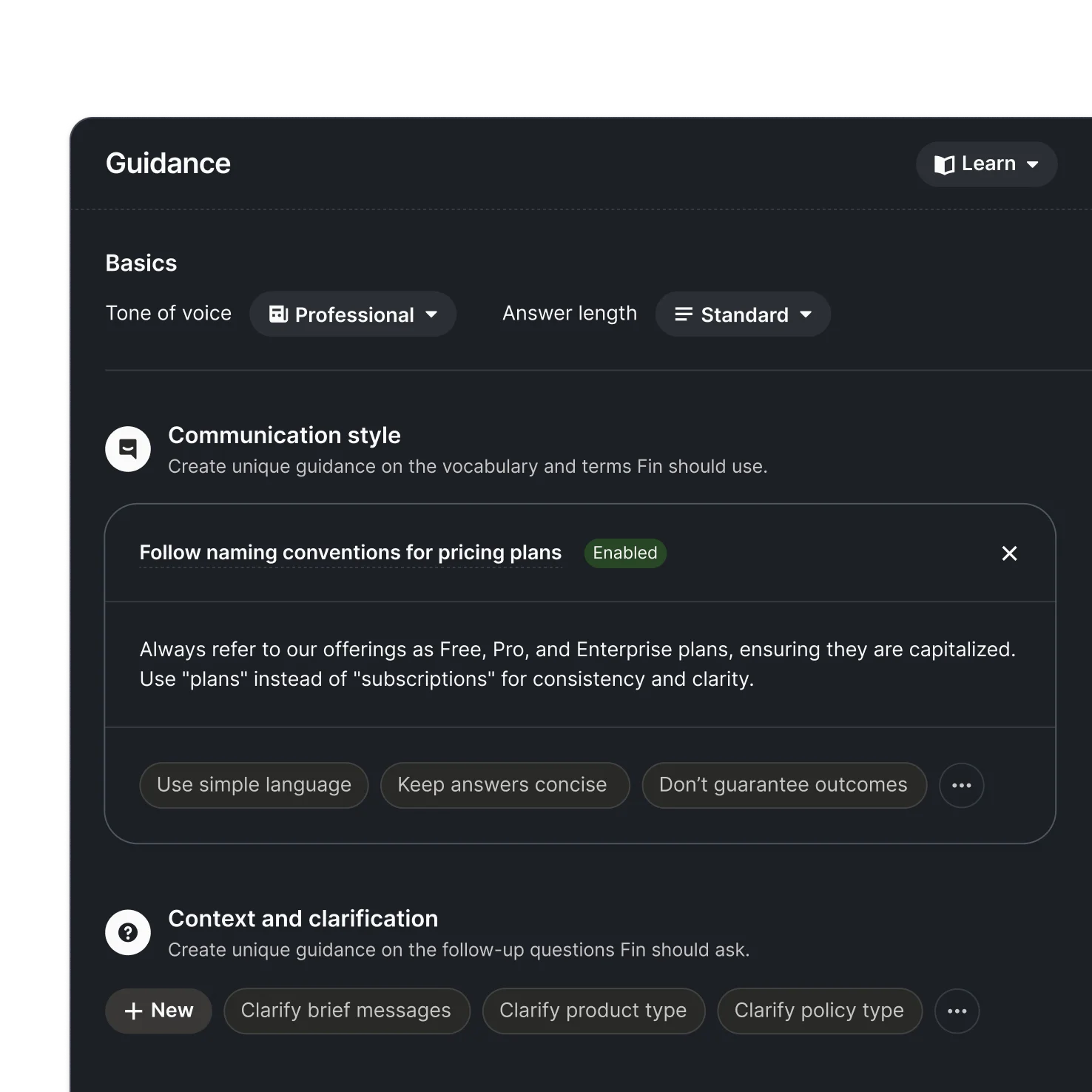
Guidance ensures every response reflects your brand voice and policies. Define tone, vocabulary, and style, and set rules for specific brands, customer segments, or product lines.
Test performance with AI-driven Simulations
Test performance with AI-driven Simulations
02Run fully simulated customer conversations from start to finish to see exactly how Fin will behave before going live—so you know your Procedures work as intended.
Run fully simulated customer conversations from start to finish to test how Fin will respond. You can see what Fin is doing, when it is reasoning, and where it passes or fails.
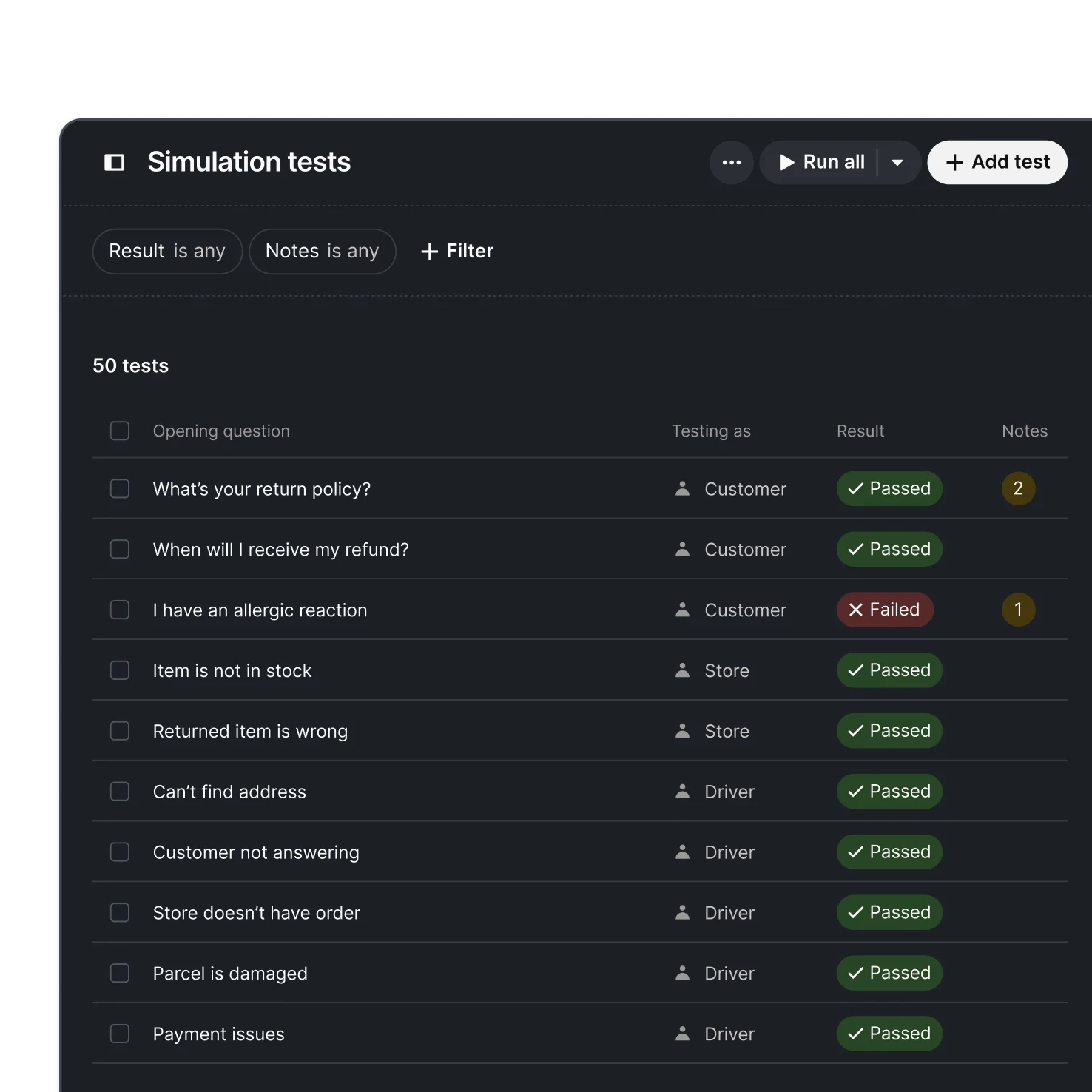
All your Simulations live in a central library. When products or policies change and Procedures are updated, just hit Run all to check if anything has regressed or broken.
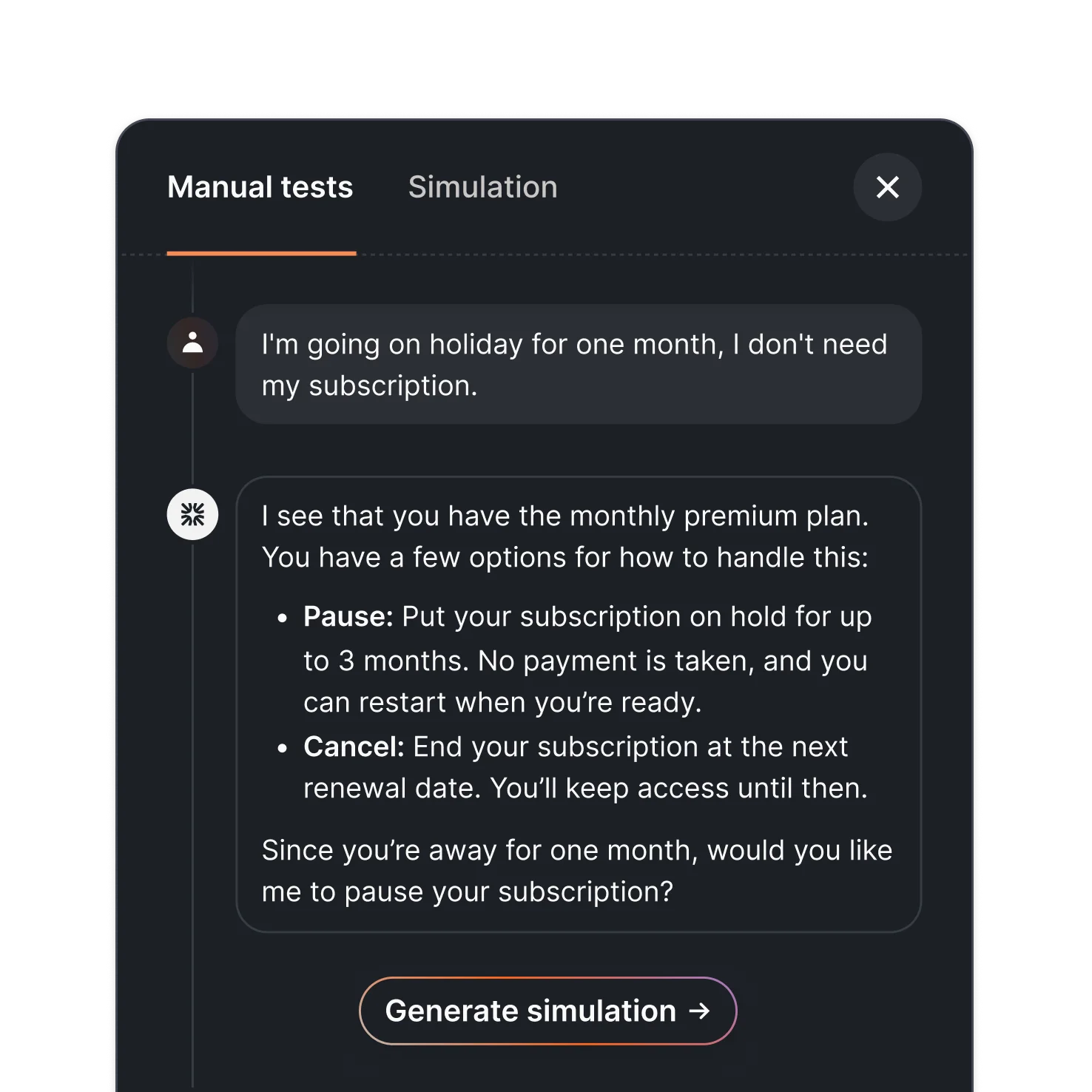
Preview changes in real time to see how Fin will respond, and refine answers until you’re ready to go live.
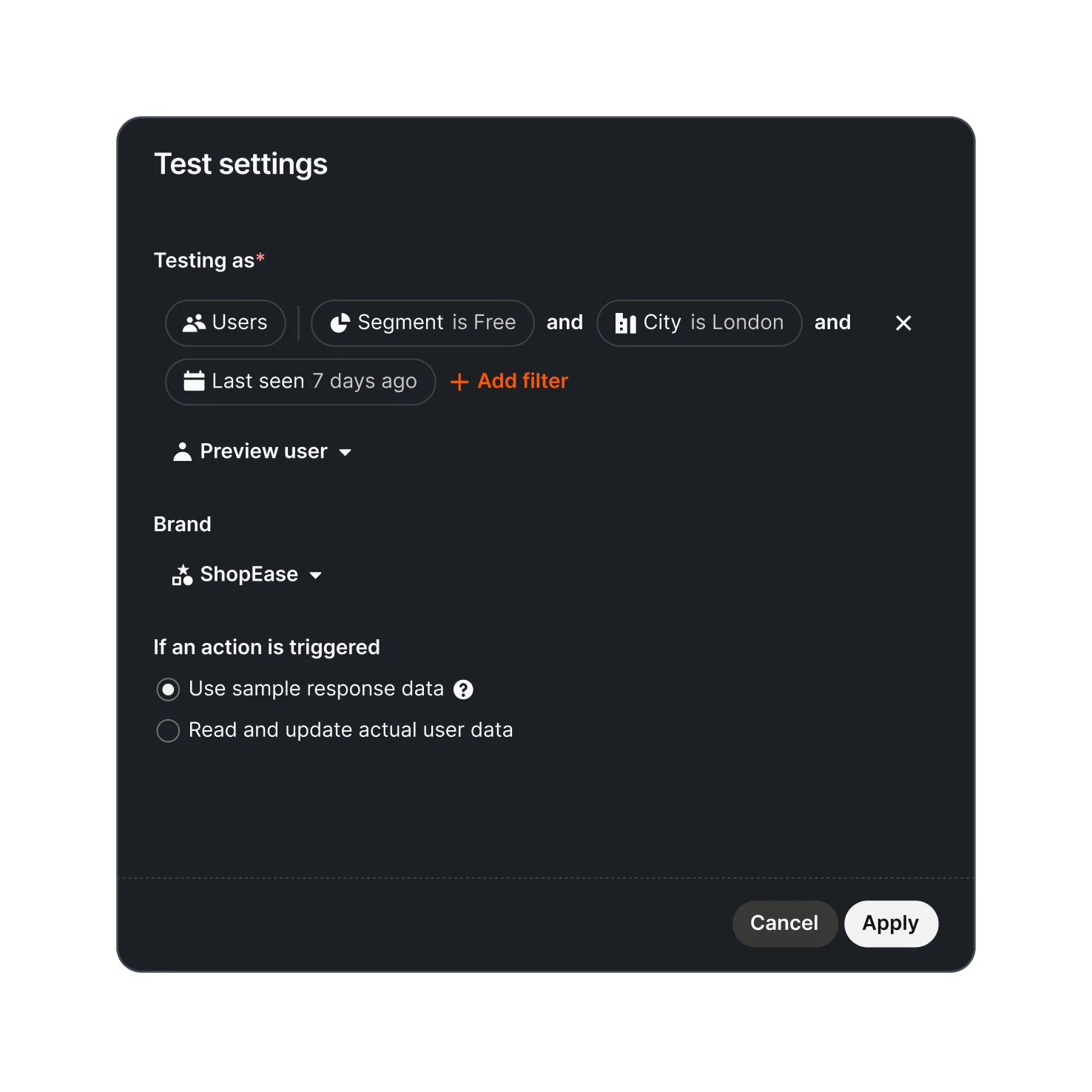
Test how Fin answers for various customer types across multiple brands by simulating different audiences or personas.
Deploy Fin across every channel
Deploy Fin across every channel
03Deploy Fin across phone, email, chat, Slack, and more so every customer receives accurate, personalized responses, wherever they reach out.
Fin Voice is a radically better experience for every caller. It delivers instant, natural conversations that feel human and never lose context. Fin Voice is simple to set up, easy to preview, and works with all major telephony systems.
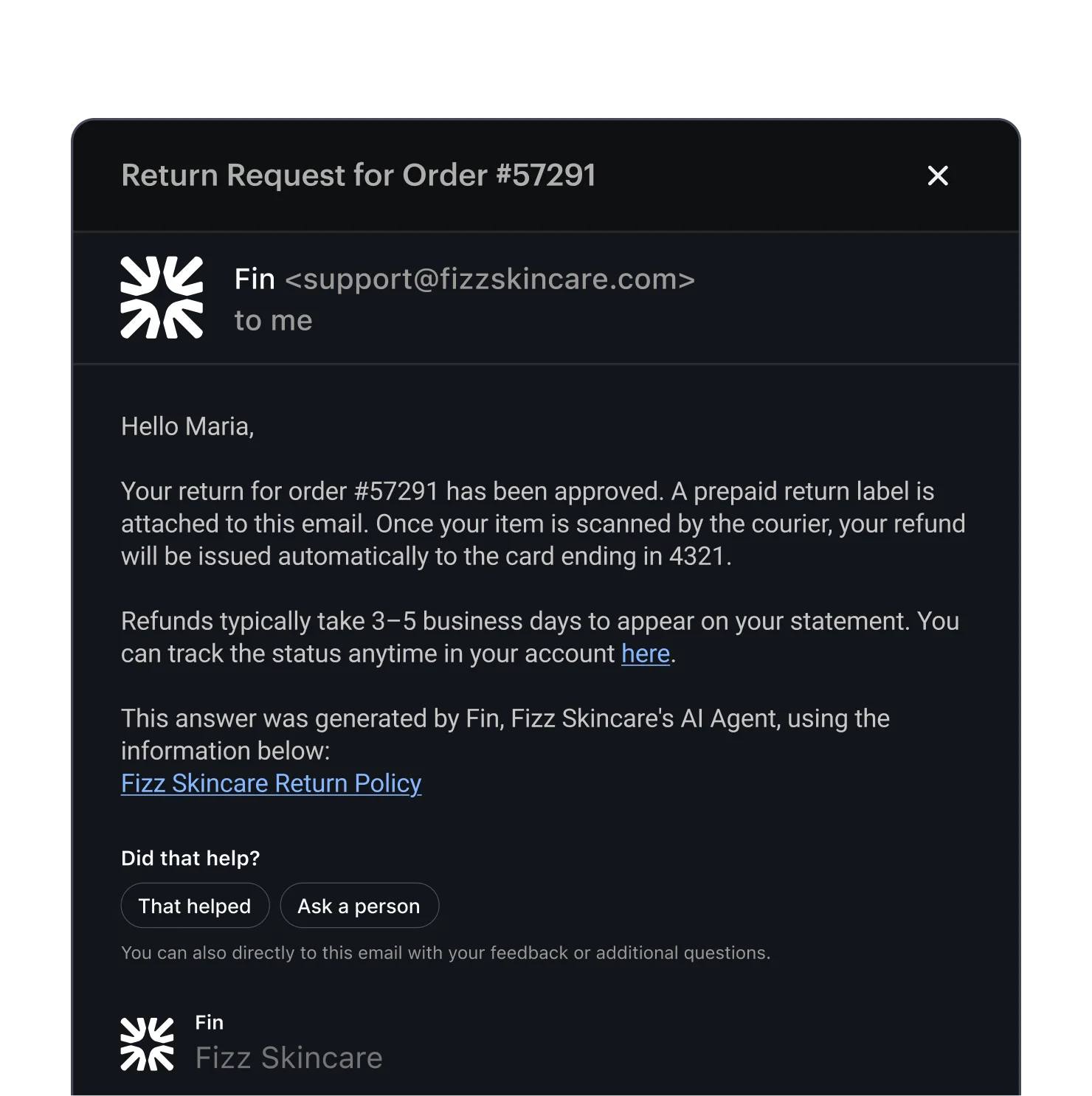
Fin replies instantly from your domain, in your brand voice, with clarity and accuracy—making email as fast and reliable as any other support channel.
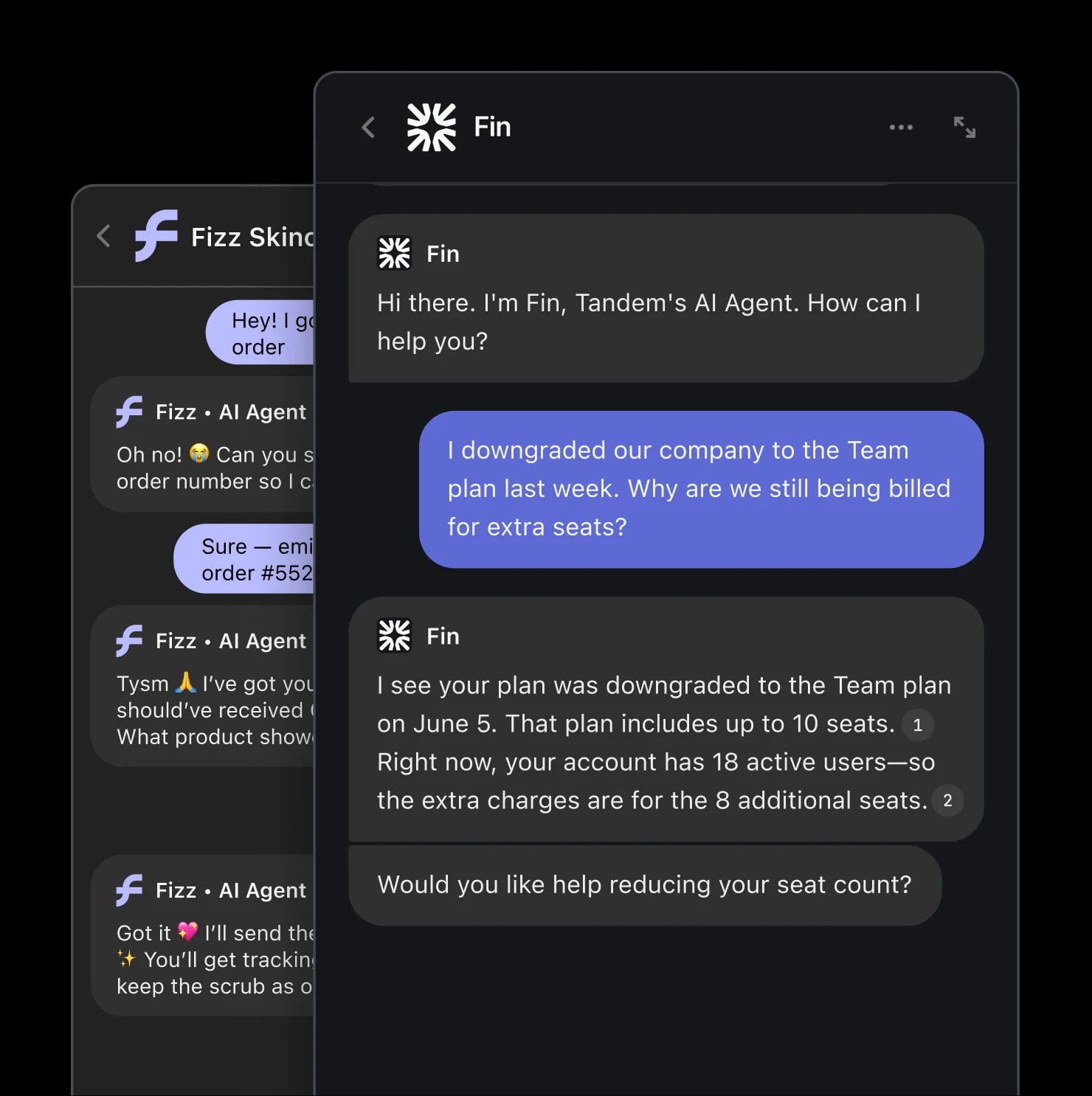
Whether it's on your existing live chat tool, or the industry-leading Intercom Messenger—Fin delivers the best conversational support experience to your customers.
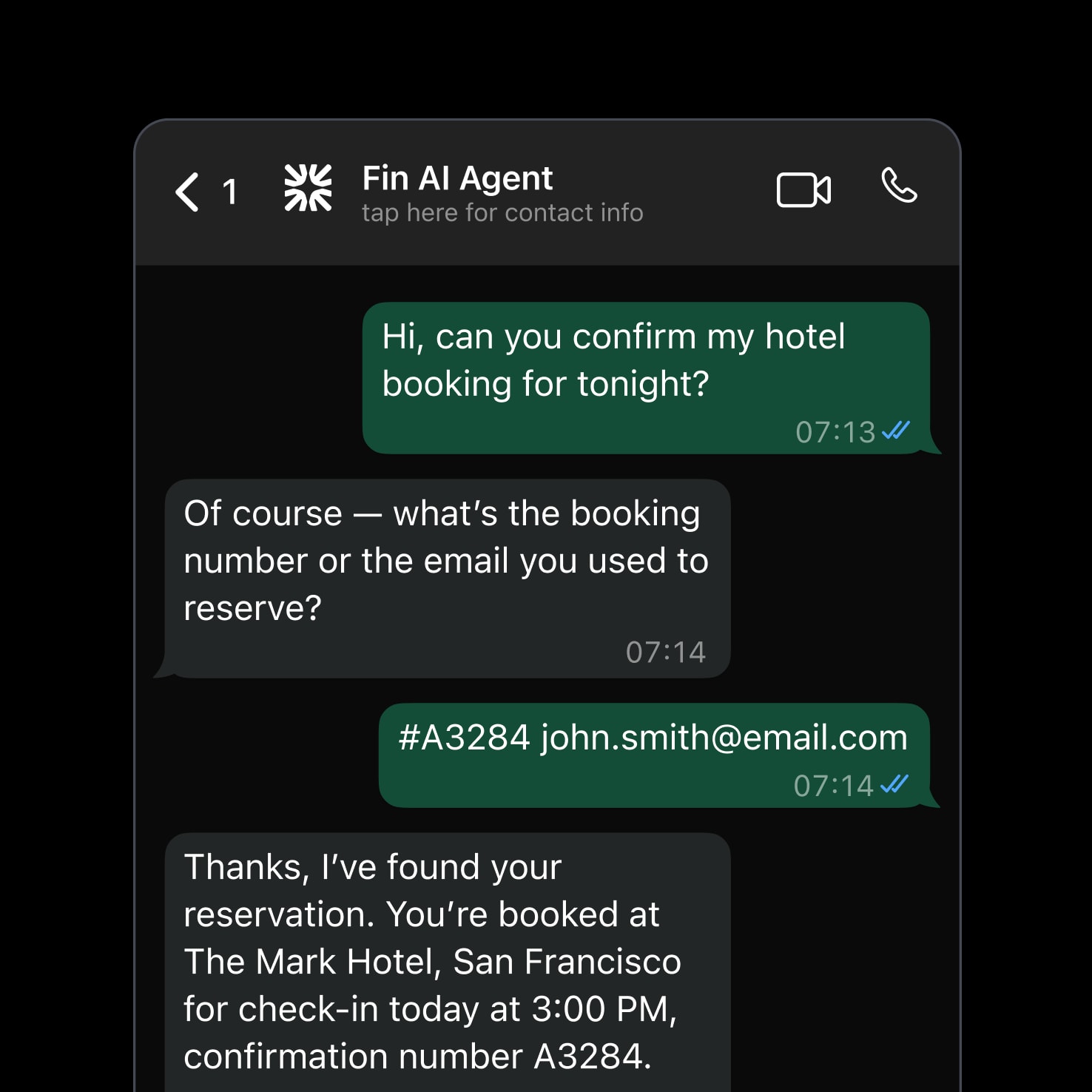
Fin delivers conversational support across WhatsApp, SMS and Discord, to keep the customer experience consistent across all your channels.
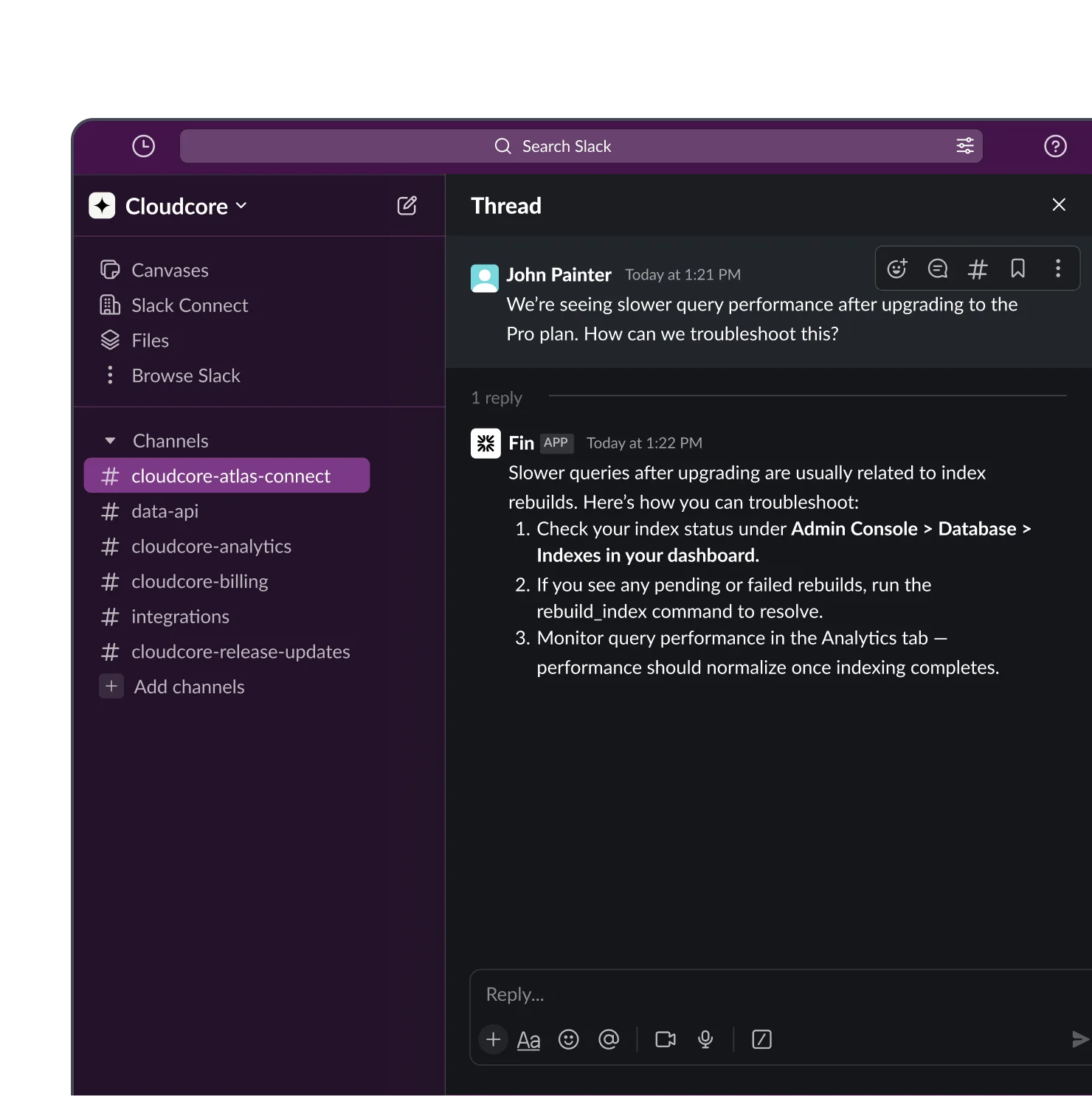
Fin supports your customers directly in Slack communities and Connect channels. Replies are instant, stay threaded, and feel native to Slack.
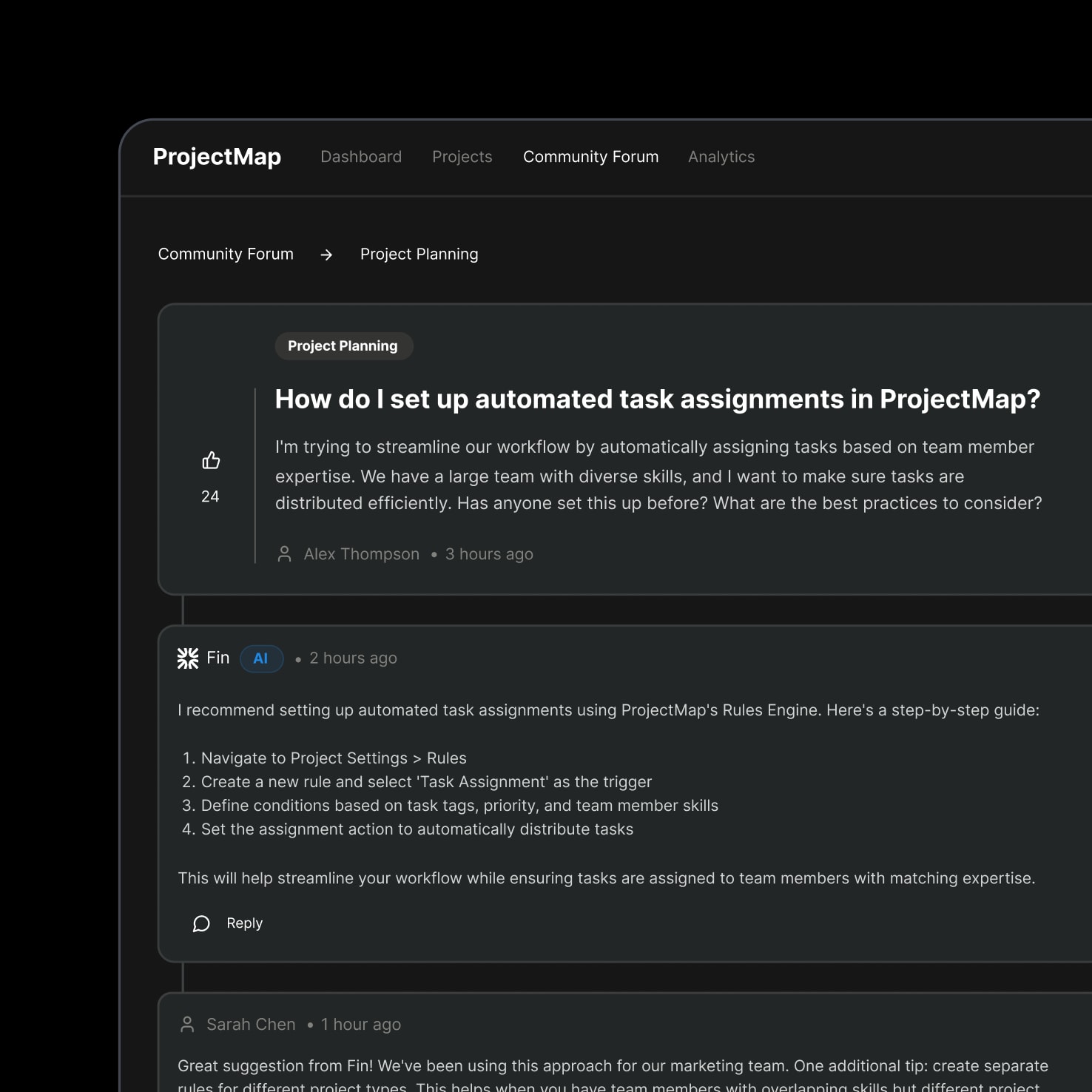
Use Fin’s API to embed Fin into your custom app—delivering fast, accurate support wherever your customers need it, without changing your existing systems.
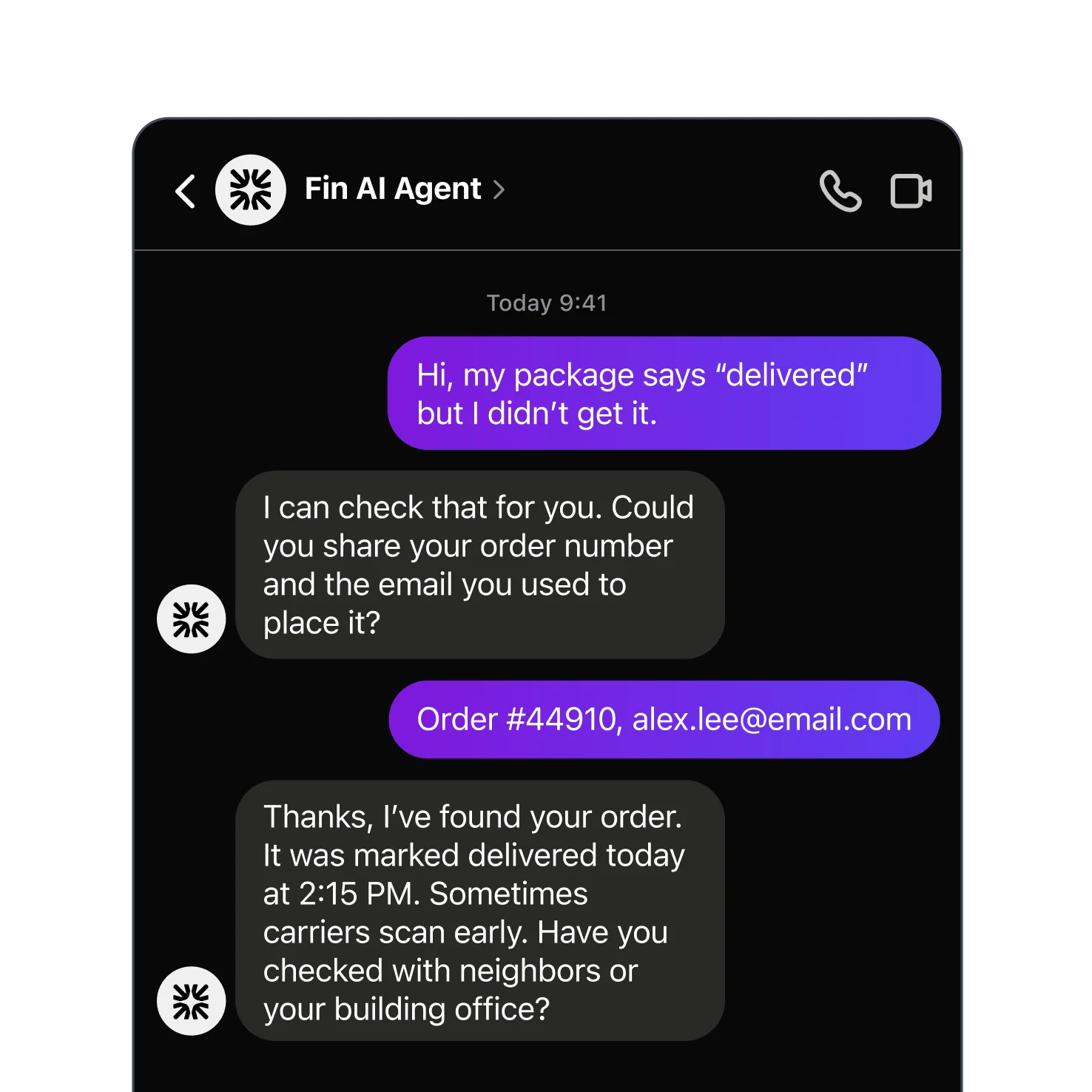
Fin can deliver conversational support experiences consistently on your social channels too, including Facebook and Instagram.
Analyze Fin with AI-powered Insights
Analyze Fin with AI-powered Insights
04Monitor performance, spot trends, and optimize with AI-powered Suggestions—then use those Insights to retrain Fin and continuously improve your customer experience.
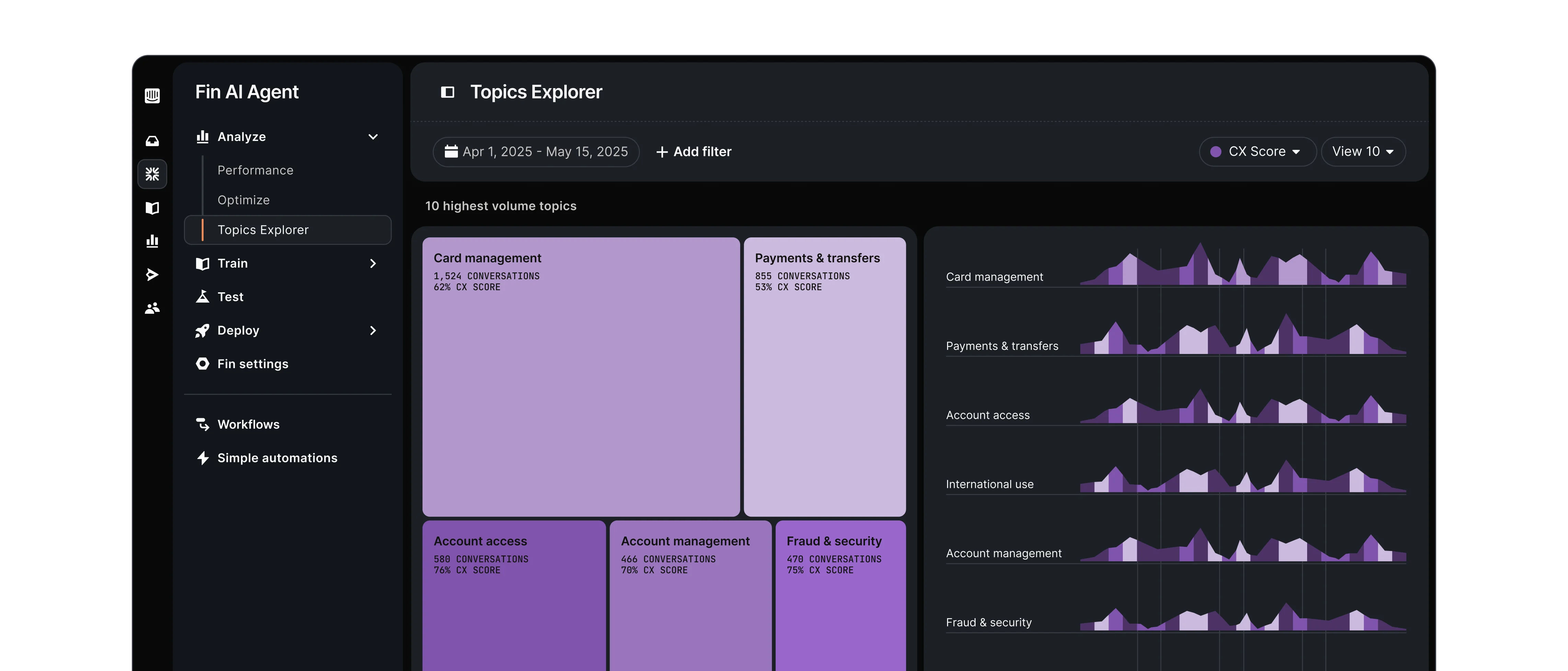
Topics Explorer groups every customer conversation into Topics and Subtopics. Spot patterns, track trends, and catch issues before they impact customer experience.
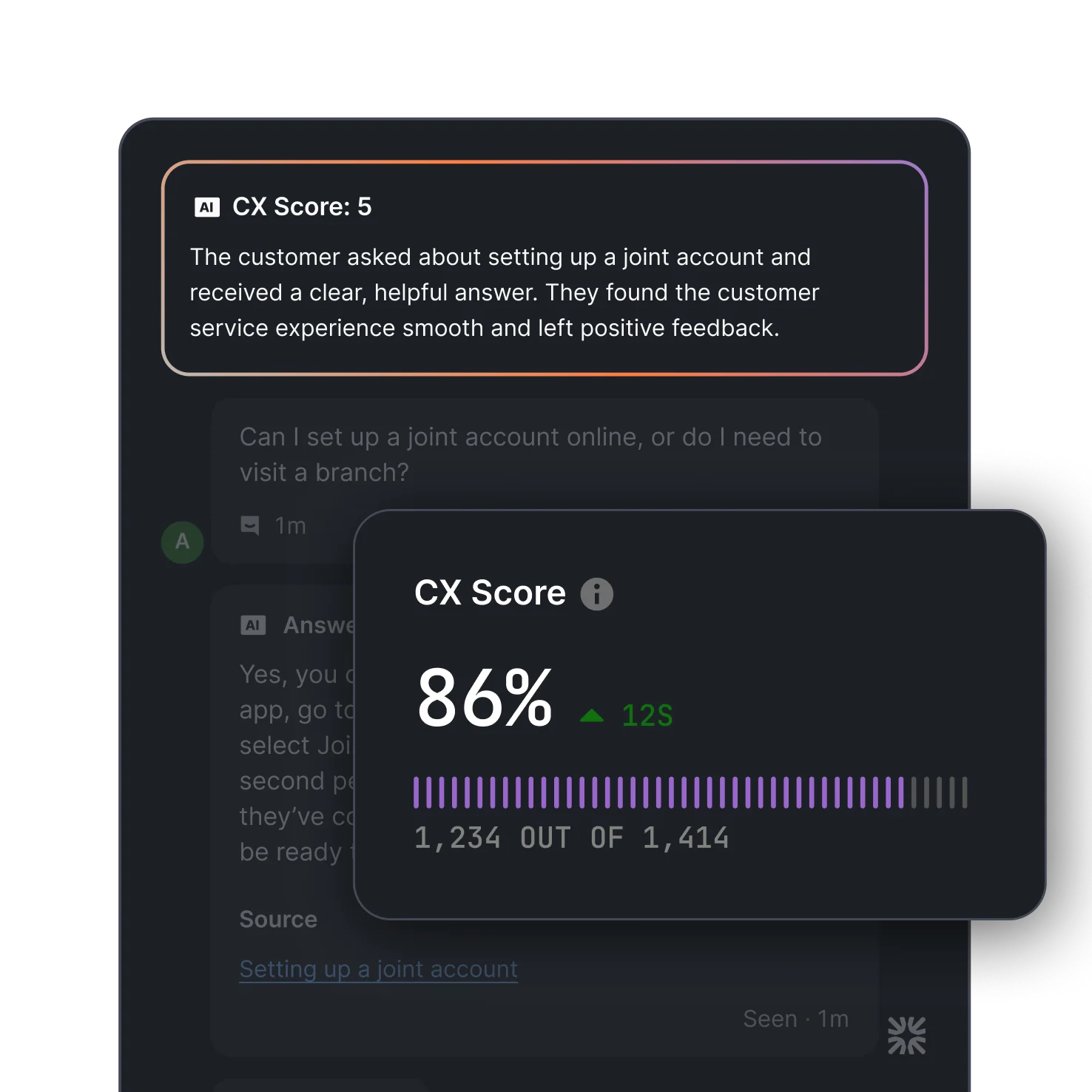
CX Score is a breakthrough, AI-powered metric that gives you a complete view of your support quality across every customer conversation—no surveys required.
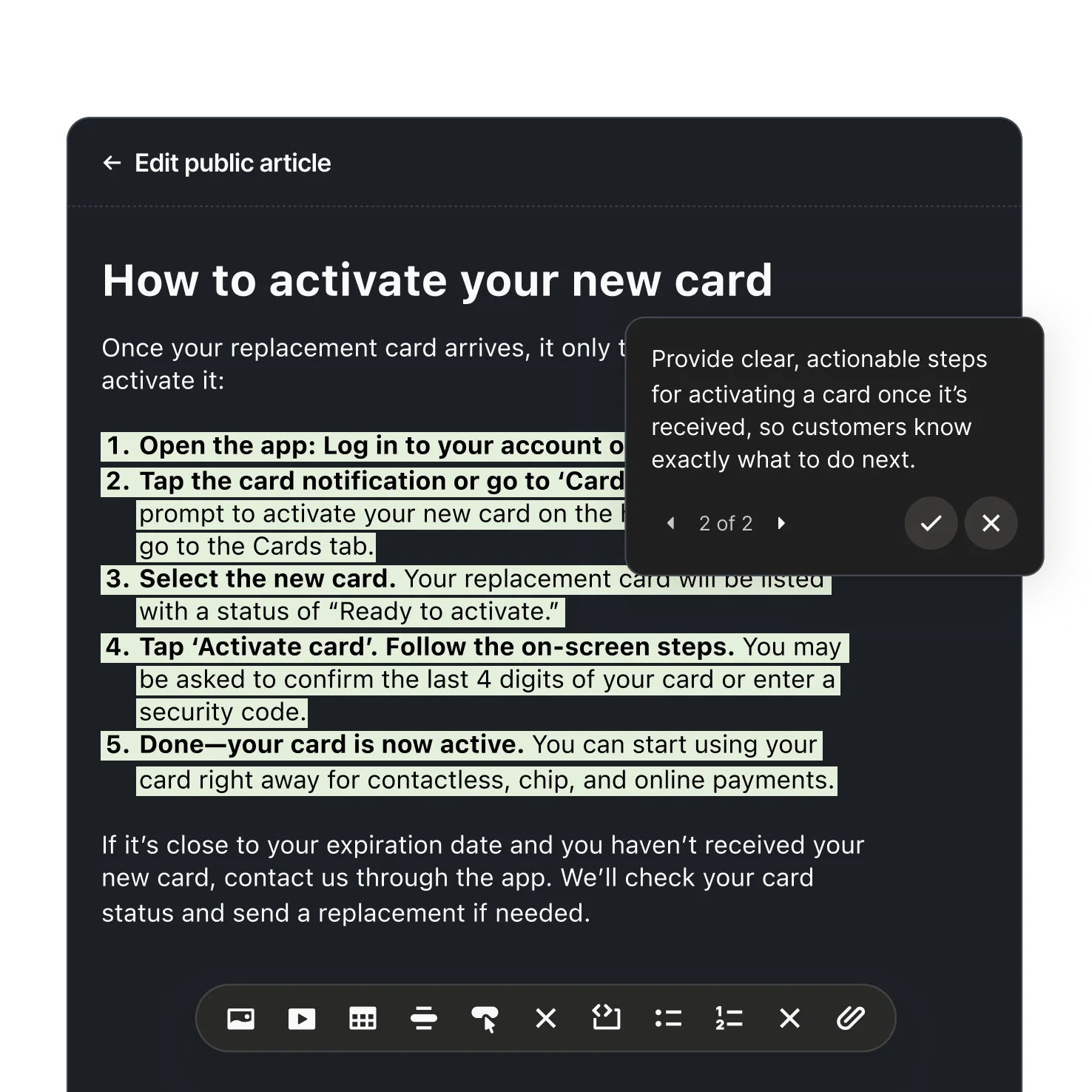
Fin generates content updates to improve answers. Accept with one click, and Fin will immediately use that content to deliver better responses.
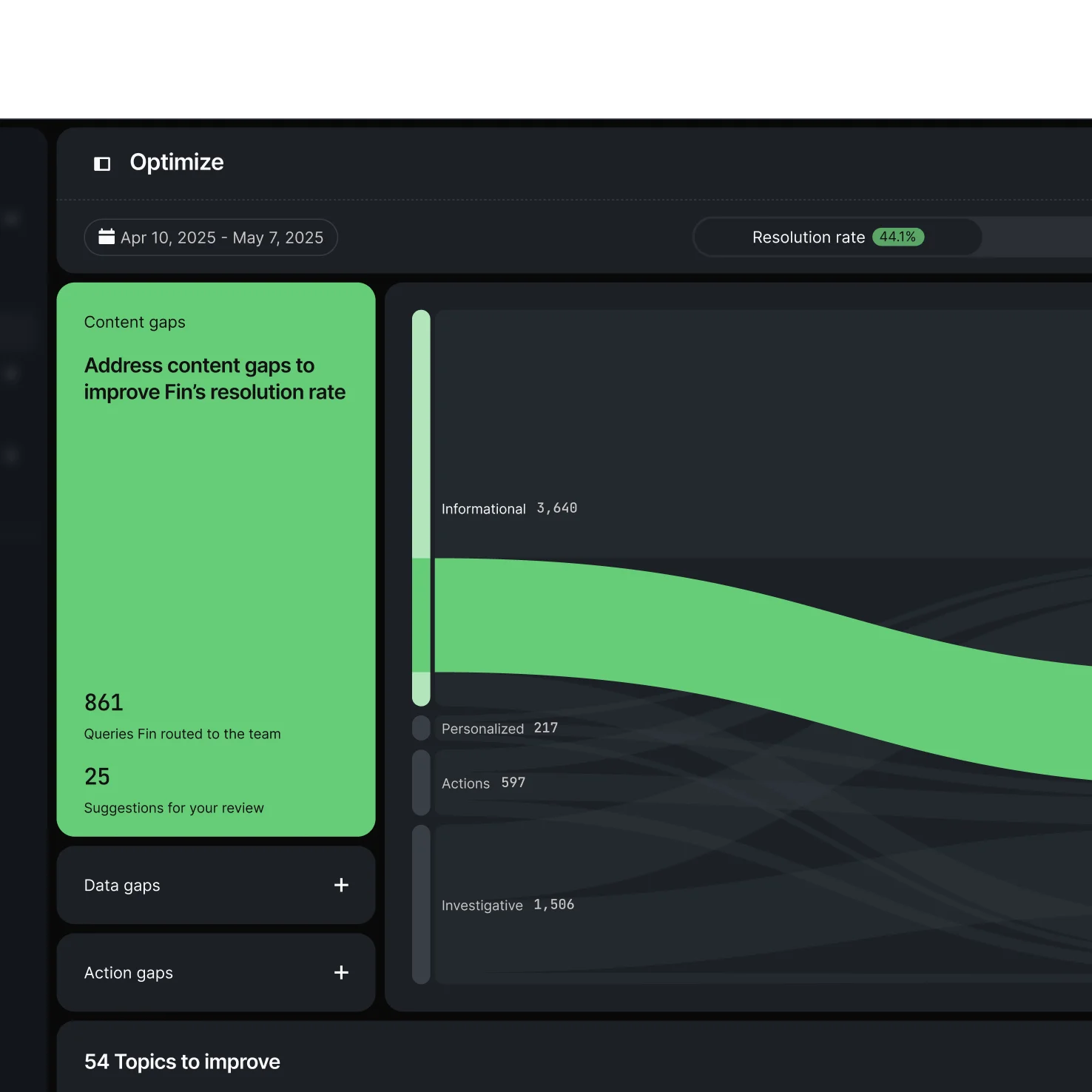
The Optimize Dashboard highlights opportunities to improve Fin’s performance with AI-powered Suggestions. Accept with one click for instant optimization.
FAQs
What is the Fin Flywheel?
The Fin Flywheel is the continuous improvement loop that powers how Fin gets better over time. It runs in four stages: Train Fin on your Procedures, knowledge, and policies; Test performance with simulated conversations before going live; Deploy across every channel your customers use; then Analyze results with AI-powered Insights to find gaps and improve. Each stage feeds into the next, so every conversation Fin handles makes the next one more accurate.
How quickly can we get Fin set up?
Fin is designed to go live quickly when your content is already in place. It connects directly to your existing knowledge sources, help center articles, and support workflows, so there is no migration or rebuild required. Teams with content ready to go can typically deploy within hours, not weeks.
What technology powers Fin?
Fin is powered by Fin Apex 1.0, described by Intercom as the highest-performing, fastest model built specifically for customer service. Rather than adapting a general-purpose LLM, the Fin AI Engine is architected specifically for complex support queries, with optimization layers for retrieving, ranking, and validating answers against your content before returning a response.
Does Fin work with our existing helpdesk?
Fin works with Intercom's helpdesk and integrates with a range of external tools, including Salesforce, HubSpot, and Freshdesk. It follows your existing assignment rules, automations, and reporting setup, so your human team's workflow stays unchanged. When Fin escalates a conversation, it passes full context to your agents' preferred inbox.
How does Fin improve over time?
Fin improves through the Analyze stage of the Fin Flywheel, which continuously monitors performance across every conversation, flags areas where Fin could not resolve queries, and surfaces prioritized content improvements you can apply with one click. The more Fin runs, the more data it generates to guide those improvements, creating a compounding effect on resolution rates as you iterate.